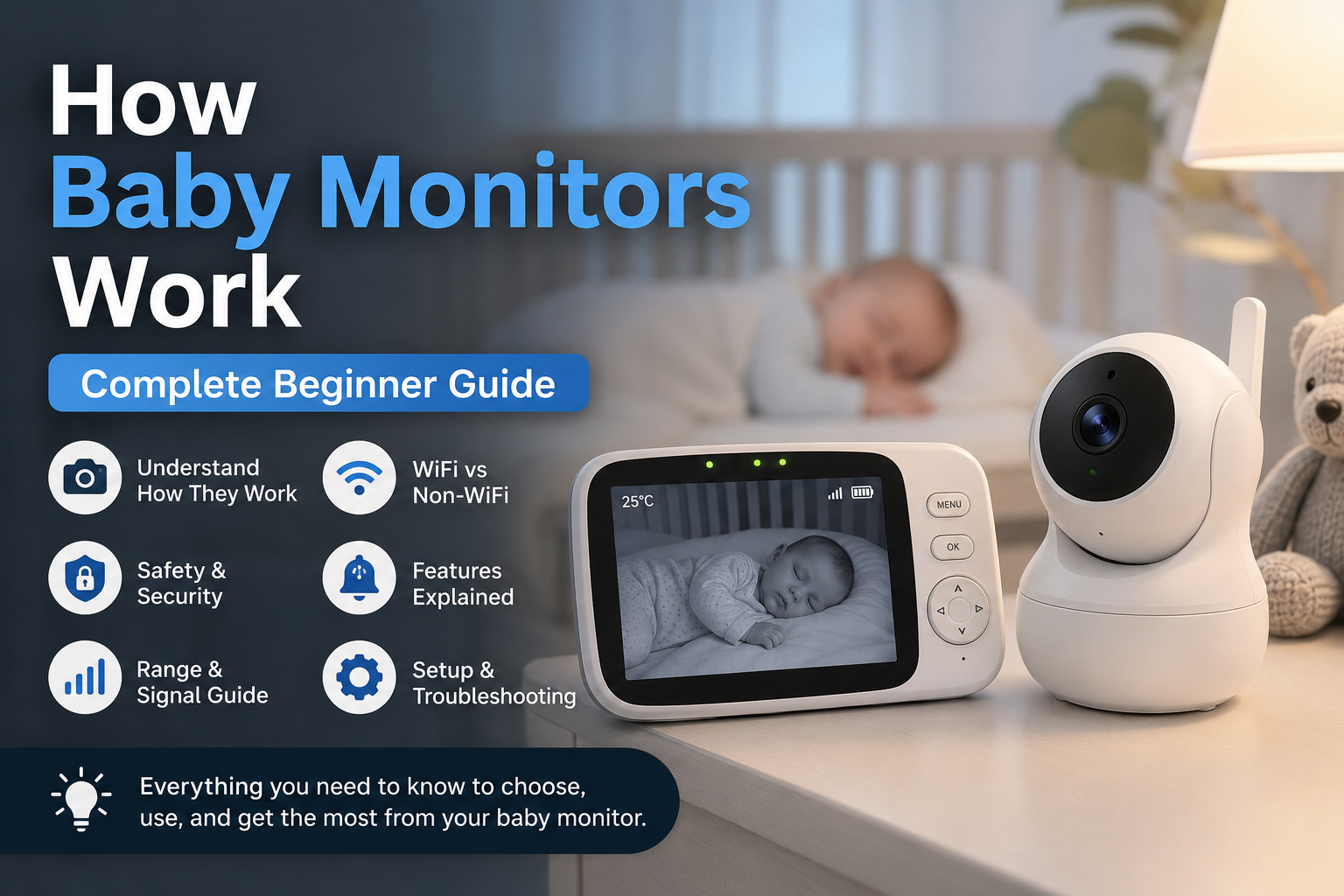
Baby monitors have become one of the most useful tools for modern parents. They allow caregivers to hear, see, and monitor their baby while being in another room. Whether you are cooking dinner, working from home, or resting after putting your baby to sleep, a baby monitor helps you stay connected without constantly walking into the nursery.
Over the years, baby monitors have changed a lot. Older models only transmitted sound, but today’s devices can provide live video feeds, room temperature tracking, motion alerts, breathing monitoring, smartphone access, and even sleep analytics.
For first-time parents, understanding how baby monitors work can feel overwhelming. There are many different types, technologies, and features available, and not every monitor works the same way.
This guide explains everything in simple but professional language. You will learn how baby monitors function, the difference between WiFi and non-WiFi systems, the technology behind wireless monitoring, important safety considerations, and how to choose the best monitor for your needs.
What Is a Baby Monitor?
A baby monitor is a wireless device that allows parents to monitor their baby remotely from another room or location inside the home.
Most baby monitors include two main components:
- A baby unit placed inside the nursery
- A parent unit, monitor screen, or mobile app used by caregivers
The baby unit captures information such as sound, video, movement, or room conditions. That information is then transmitted wirelessly to the parent unit or smartphone.
Baby monitors are designed to provide convenience and reassurance. Instead of entering the nursery repeatedly and risking waking the baby, parents can monitor sleep, movement, and noise levels remotely.
Modern baby monitors are now used for much more than listening for crying. Many models help parents:
- Watch live video feeds
- Monitor room temperature
- Receive motion alerts
- Use two-way communication
- Track sleep activity
- Monitor multiple children at once
The type of monitor you choose depends on your home setup, privacy preferences, and the level of monitoring you want.
How Do Baby Monitors Work?
Baby monitors work by collecting audio, video, or movement data from the baby’s room and wirelessly transmitting it to another device used by the parent.
Although different models use different technologies, the basic process stays mostly the same.
Step 1, The Baby Unit Collects Information
The baby unit is the device placed inside the nursery. Depending on the monitor type, it may contain:
- A microphone for sound detection
- A camera for video monitoring
- Infrared sensors for night vision
- Motion or breathing sensors
- Temperature sensors
- Speakers for two-way communication
Audio monitors mainly rely on microphones to pick up sounds like crying, coughing, or movement. Video monitors include cameras that continuously capture live footage of the baby’s sleeping area.
Smart baby monitors may also use sensors and software algorithms to track movement patterns, breathing motion, and sleep activity.
Step 2, The Monitor Converts Information Into Wireless Signals
Once sound or video is captured, the monitor converts the information into wireless signals.
These signals are transmitted using technologies such as:
- Radio frequency
- FHSS technology
- DECT systems
- WiFi
- Bluetooth
Non-WiFi monitors usually send signals directly from the baby unit to the parent unit. WiFi monitors send the information through the home internet network so parents can access the feed from a smartphone or tablet.
The quality and stability of this transmission depend on several factors, including signal strength, wall thickness, interference, and internet quality.
Step 3, The Parent Unit Receives the Signal
The parent unit receives the wireless transmission and converts it back into audio or video.
Depending on the monitor type, parents may use:
- A dedicated handheld monitor
- A smartphone app
- A tablet
- A desktop computer
Many parent units include additional controls for:
- Volume adjustment
- Brightness settings
- Camera movement
- Alert sensitivity
- Zoom functions
This allows parents to monitor the nursery in real time without entering the room.
Step 4, Alerts and Notifications Are Triggered
Most modern baby monitors can detect changes in the nursery environment and notify parents instantly.
Common alerts include:
- Cry detection
- Motion detection
- No movement alerts
- Room temperature warnings
- Signal loss notifications
- Low battery alerts
Smart monitors may also provide sleep summaries and activity tracking through mobile apps.
Main Parts of a Baby Monitor
Understanding the main parts of a baby monitor makes it easier to compare different models and features.
Baby Unit
The baby unit is placed inside the nursery near the cot or crib.
This unit is responsible for collecting information from the room. Depending on the model, it may include:
- High-definition camera
- Sensitive microphone
- Night vision infrared lights
- Motion sensors
- Temperature sensors
- Built-in speakers
- Pan and tilt motors
The placement of the baby unit is extremely important. It should provide a clear view of the baby while remaining safely out of reach.
Parent Unit
The parent unit is the device used by caregivers to monitor the baby remotely.
Traditional monitors include a dedicated handheld screen with built-in speakers and controls. These devices are designed for quick access and usually work without needing WiFi.
Common features include:
- LCD display screen
- Volume controls
- Rechargeable battery
- Vibration alerts
- Signal indicators
- Brightness adjustment
Higher-end parent units may support multiple cameras and split-screen viewing.
Mobile Apps
WiFi baby monitors often use mobile apps instead of dedicated parent units.
These apps allow parents to:
- View live video feeds
- Receive push notifications
- Review recordings
- Control camera settings
- Speak through the monitor
- Share access with family members
App-based systems are popular because they allow monitoring from almost anywhere with an internet connection.
Types of Baby Monitors and How Each One Works
Different baby monitors are designed for different parenting needs. Understanding the differences helps parents choose the right system.
Audio Baby Monitors
Audio baby monitors are the simplest type available.
They use microphones to capture sound from the nursery and transmit it to a parent unit. These monitors do not include video features.
Audio monitors are popular because they are:
- Affordable
- Easy to use
- Lightweight
- Reliable for basic monitoring
Most modern audio monitors use DECT technology, which helps reduce interference and improves sound clarity.
These monitors work well for parents who mainly want to hear when the baby wakes or cries.
Video Baby Monitors
Video baby monitors include a built-in camera that streams live footage to a screen or app.
These systems allow parents to both hear and see the baby in real time.
Most video monitors now include features such as:
- Night vision
- Zoom controls
- Pan and tilt functions
- Split-screen viewing
- Temperature monitoring
Video monitors are especially useful for parents who want visual reassurance during naps and bedtime.
WiFi Baby Monitors
WiFi baby monitors connect to the home internet network.
Instead of transmitting directly to a handheld monitor, they send data through the internet to a smartphone or tablet app.
This allows parents to monitor the baby remotely from different rooms or even while away from home.
Benefits include:
- Remote access
- Smartphone notifications
- Cloud video storage
- Advanced smart features
However, WiFi monitors depend heavily on internet quality and security settings.
Non-WiFi Baby Monitors
Non-WiFi monitors use direct wireless communication between the baby unit and parent unit.
These systems do not rely on the internet.
Because they use closed communication systems, they are often considered:
- More secure
- Easier to set up
- Less vulnerable to hacking
Many parents choose non-WiFi monitors because they provide stable performance without needing apps or internet access.
Movement Baby Monitors
Movement baby monitors are designed to track movement and breathing motion.
These systems may use:
- Sensor pads under the mattress
- Wearable devices
- Camera-based movement analysis
If no movement is detected for a certain period, the monitor sends an alert to the parent.
These monitors are often used by parents who want additional reassurance during sleep.
Smart Baby Monitors
Smart baby monitors combine multiple technologies into one system.
These monitors may include:
- AI sleep tracking
- Cry analysis
- Breathing monitoring
- Temperature tracking
- Smartphone control
- Sleep reports
Although smart monitors offer advanced features, they are usually more expensive and may require subscriptions for cloud storage or advanced analytics.
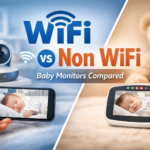
WiFi vs Non-WiFi Baby Monitors
One of the biggest decisions parents face is choosing between WiFi and non-WiFi monitors.
WiFi Baby Monitors
WiFi monitors connect to your home internet network and allow remote viewing through apps.
Advantages
- Access from anywhere
- Smartphone control
- Smart alerts and notifications
- Recording and cloud storage
- Easy sharing with family members
Disadvantages
- Depend on internet stability
- Higher privacy risks if unsecured
- More setup requirements
- Potential app connectivity issues
WiFi monitors are ideal for parents who travel frequently or want advanced smart features.
Non-WiFi Baby Monitors
Non-WiFi monitors create a direct connection between the camera and parent unit.
Advantages
- Better privacy
- Faster connection
- Easier setup
- Stable signal indoors
Disadvantages
- No remote viewing outside the home
- Fewer smart features
- Limited app integration
Non-WiFi systems are often preferred by parents focused on simplicity and privacy.
What Technologies Do Baby Monitors Use?
Baby monitors use several wireless technologies to transmit information safely and efficiently.
Radio Frequency Technology
Older monitors often use radio frequency signals to send audio between units.
Although simple, these systems can sometimes experience interference from nearby electronics.
DECT Technology
DECT stands for Digital Enhanced Cordless Telecommunications.
This technology is commonly used in audio monitors because it provides:
- Clear sound quality
- Reduced interference
- Secure connections
DECT systems are known for stable audio performance.
FHSS Technology
FHSS stands for Frequency Hopping Spread Spectrum.
This technology constantly changes transmission frequencies during operation.
Benefits include:
- Better security
- Reduced interference
- Stable signal transmission
Many non-WiFi video monitors use FHSS technology.
WiFi Technology
WiFi monitors connect to the internet through a home router.
This allows live video streaming and app-based monitoring from different locations.
Bluetooth Technology
Some compact smart monitors use Bluetooth for short-range communication.
Bluetooth systems usually have shorter range compared to WiFi monitors.
Infrared Night Vision
Night vision uses infrared lights to capture video in dark rooms.
These infrared lights are invisible to the human eye and allow clear nighttime viewing without disturbing the baby.
VOX Mode
VOX mode activates the monitor only when sound is detected.
This helps:
- Save battery life
- Reduce unnecessary noise
- Improve nighttime monitoring
VOX mode is commonly found in audio and video monitors.