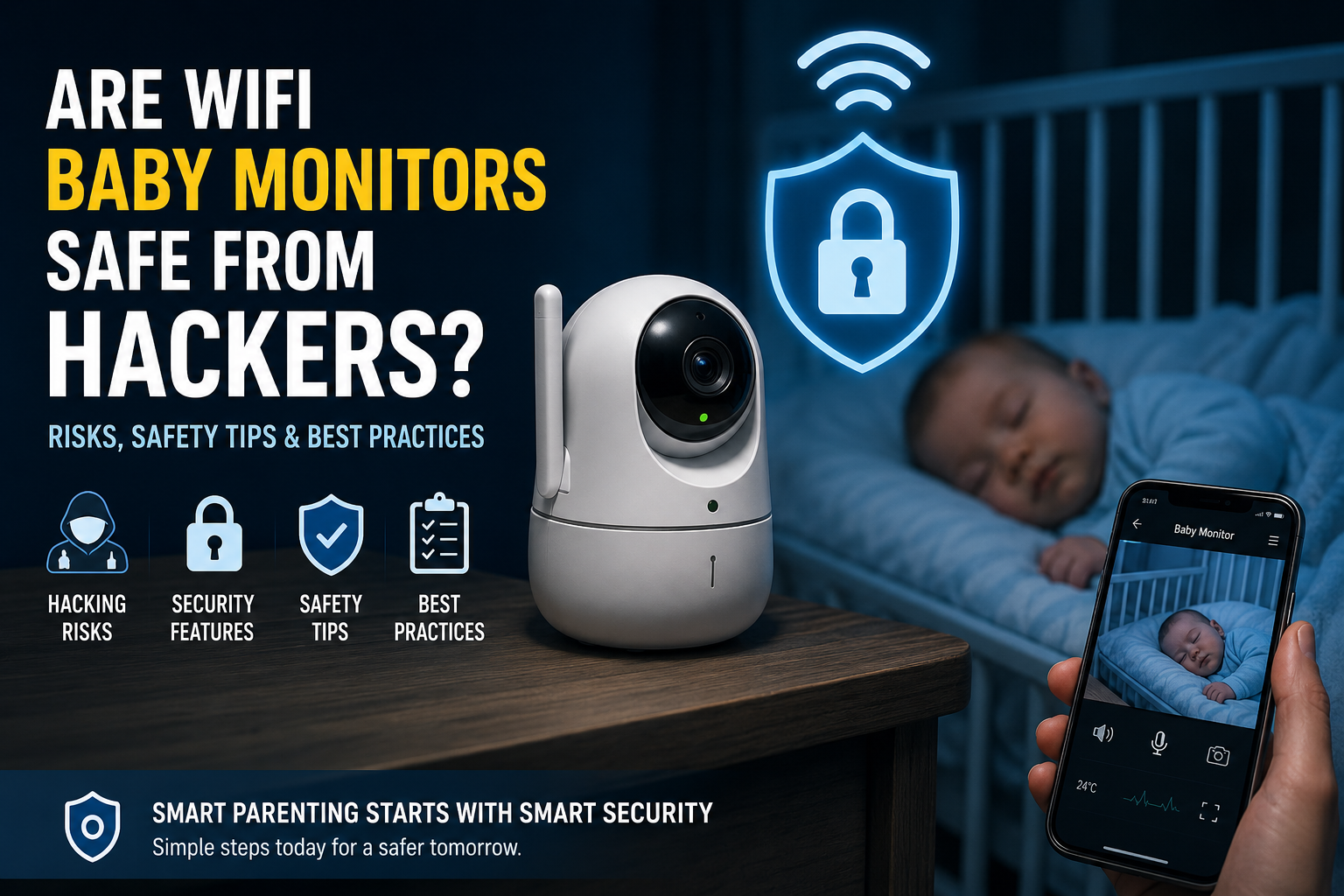
Are WiFi Baby Monitors Safe From Hackers?
Many parents use WiFi baby monitors to check on their baby from another room or while away from home. These smart monitors can send live video, sound alerts, and motion notifications straight to your phone.
But many parents also ask the same question:
Can someone hack my baby monitor?
The short answer is yes, WiFi baby monitors can be hacked. However, most hacking problems happen because of weak passwords, outdated software, or poor security settings.
The good news is that most modern baby monitors are safe when they are set up correctly. Simple steps like using a strong password, updating the monitor, and securing your home WiFi can greatly lower the risk.
In this guide, you will learn:
-
How WiFi baby monitors get hacked
-
Warning signs to watch for
-
Ways to protect your baby monitor
-
Whether non-WiFi monitors are safer
-
How to choose a secure baby monitor
By the end, you will know how to keep your baby monitor and your family safer online.
Quick Answer: Can WiFi Baby Monitors Be Hacked?
Yes, WiFi baby monitors can be hacked, but this does not happen to every device.
Hackers usually target baby monitors that have weak passwords, old software, or poor security settings. Some hackers may try to access the monitor through the internet, while others may take advantage of unsafe mobile apps or unsecured home WiFi networks.
Most modern WiFi baby monitors use encryption and other security features to protect your privacy. Still, no internet-connected device is completely risk-free.
A WiFi baby monitor is more likely to be hacked if:
-
The default password is never changed
-
The same password is used on multiple accounts
-
The monitor software is outdated
-
Two-factor authentication is not enabled
-
The home WiFi network is weak or unsecured
-
Remote viewing settings are left open
Non-WiFi baby monitors are usually safer from online hackers because they do not connect to the internet. However, they may not offer features like remote viewing, mobile alerts, or cloud storage.
The good news is that parents can reduce most security risks by following a few simple safety steps. In the next section, we will explain exactly how hackers access WiFi baby monitors and what makes some devices more vulnerable than others.
How Do Hackers Access WiFi Baby Monitors?
Hackers usually do not break into baby monitors by guessing randomly. Most attacks happen because the monitor, mobile app, or home WiFi network has weak security.
Here are the most common ways hackers access WiFi baby monitors.
Weak Or Easy Passwords
One of the biggest problems is weak passwords. Many parents use simple passwords like “123456” or “password,” which are easy for hackers to guess.
Using the same password for multiple accounts also increases risk. If one account gets leaked online, hackers may try the same password on your baby monitor app.
Default Login Details
Some baby monitors come with default usernames and passwords from the manufacturer. If parents never change them, hackers can easily find these details online and use them to access the device.
Outdated Firmware
Firmware is the software inside the baby monitor. Companies release updates to fix bugs and security problems.
If the monitor is not updated regularly, hackers may use known security flaws to break into the device.
Unsafe Mobile Apps
Many WiFi baby monitors connect through mobile apps. If the app has weak security or poor encryption, hackers may be able to steal login details or access video feeds.
This is why it is important to download apps only from trusted sources and keep them updated.
Weak Home WiFi Security
Your baby monitor depends on your home internet connection. If your WiFi network is not secure, hackers may gain access to connected devices.
Using old security methods like WEP can make your network easier to attack. WPA2 or WPA3 encryption is much safer.
Cloud Storage Breaches
Some smart baby monitors store videos and data in the cloud. If the company’s servers are hacked, user information or video feeds could be exposed.
This is why choosing a trusted baby monitor brand with good security practices matters.
Remote Access Features
Many parents love being able to check the baby monitor while away from home. But remote access can create another entry point for hackers if it is not properly protected.
Leaving remote viewing turned on all the time may increase security risks.
Public WiFi Connections
Using your baby monitor app on public WiFi networks, like in cafes or airports, can sometimes expose your login information to attackers.
It is safer to use mobile data or a trusted private network when accessing your monitor remotely.
Understanding how hacking happens is the first step toward protecting your baby monitor. Next, we will compare WiFi and non-WiFi baby monitors to see which option is safer for families.
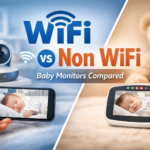
Are WiFi Baby Monitors More Risky Than Non-WiFi Monitors?
Many parents wonder whether they should choose a WiFi baby monitor or a non-WiFi baby monitor. Both options have advantages, but they also come with different security risks.
WiFi Baby Monitors
WiFi baby monitors connect to your home internet and let you view your baby through a smartphone app or tablet. Some models also offer motion alerts, night vision, cloud storage, and two-way audio.
These features make WiFi monitors very convenient, especially for parents who want to check on their baby while away from home.
However, because they connect to the internet, WiFi baby monitors can also become targets for hackers if security settings are weak.
Main Risks Of WiFi Baby Monitors
-
Hacking through weak passwords
-
Unsafe mobile apps
-
Outdated firmware
-
Cloud storage breaches
-
Unsecured home WiFi networks
Non-WiFi Baby Monitors
Non-WiFi baby monitors do not use the internet. Instead, they work through radio frequencies or closed wireless systems between the camera and the parent unit.
Because they are not connected to the internet, they are usually much harder for hackers to access remotely.
Main Benefits Of Non-WiFi Baby Monitors
-
Lower hacking risk
-
No cloud storage concerns
-
Simpler setup
-
More private connection
However, non-WiFi monitors also have limitations.
Common Drawbacks
-
Shorter viewing range
-
No remote access outside the home
-
Fewer smart features
-
Limited mobile app support
Which Type Is Safer?
In general, non-WiFi baby monitors are safer from online hacking because they are not connected to the internet.
But that does not mean WiFi baby monitors are unsafe. A secure WiFi baby monitor with strong passwords, regular updates, and proper network security can still be very safe for families.
The best choice depends on what matters most to you:
-
Choose a WiFi baby monitor if you want smart features and remote viewing.
-
Choose a non-WiFi baby monitor if privacy and lower hacking risk are your top priorities.
Next, we will look at the warning signs that may show your baby monitor has been hacked.
Signs Your Baby Monitor May Have Been Hacked
Most WiFi baby monitors work safely without any problems. But if someone gains access to your device, there are usually warning signs you should not ignore.
Here are some common signs that your baby monitor may have been hacked.
The Camera Moves On Its Own
If your baby monitor has remote camera controls, unexpected movement can be a warning sign. The camera may suddenly pan, tilt, or zoom without anyone in your home controlling it.
Strange Voices Or Noises
Some parents report hearing unknown voices, laughter, static sounds, or strange noises coming from the monitor speaker.
If your monitor supports two-way audio and you hear voices you do not recognize, disconnect the device immediately.
The Indicator Light Turns On Unexpectedly
Many baby monitors have a light that shows when the camera is active. If the light turns on even when nobody is using the app, it may mean someone else is accessing the camera feed.
Unknown Login Alerts
Some baby monitor apps send alerts when a new device logs into your account. If you receive a login notification you do not recognize, change your password right away.
Settings Change Without Permission
You may notice that your password, camera settings, notifications, or remote access options have changed without you doing anything.
This could mean another person has access to your account.
Unusual Internet Activity
A hacked baby monitor may use more internet data than normal. Your monitor may also disconnect often, freeze, or become slower than usual.
The Monitor Turns On By Itself
If the monitor screen or app activates without anyone opening it, this may be another warning sign of unauthorized access.
Battery Drains Faster Than Normal
Some parents notice faster battery drain on connected parent units or phones because the device is constantly communicating with unknown users.
What Should You Do If You Notice These Signs?
If you think your WiFi baby monitor has been hacked:
-
Unplug the monitor
-
Change your password immediately
-
Update the firmware
-
Secure your home WiFi network
-
Remove unknown connected devices
-
Factory reset the monitor if needed
Acting quickly can help stop unauthorized access and protect your privacy.
In the next section, you will learn the best ways to keep your WiFi baby monitor safe from hackers.
How To Keep A WiFi Baby Monitor Safe From Hackers
The good news is that most baby monitor hacks can be prevented with a few simple security steps. Protecting your WiFi baby monitor does not have to be complicated.
Here are the best ways to improve baby monitor security and keep your family safer online.
1. Change The Default Username And Password
Many baby monitors come with default login details from the manufacturer. Hackers often know these passwords because they can be found online.
Create a new username and a strong password as soon as you set up the device.
2. Use A Strong, Unique Password
A strong password makes your baby monitor much harder to hack.
Good passwords should include:
-
Uppercase and lowercase letters
-
Numbers
-
Special characters
-
At least 12 characters
Avoid using birthdays, names, or simple words.
It is also important not to reuse passwords from other accounts.
3. Enable Two-Factor Authentication
Two-factor authentication, also called 2FA, adds an extra layer of protection.
Even if someone learns your password, they still need a second verification code to access the account.
If your baby monitor app offers 2FA, turn it on immediately.
4. Keep The Firmware Updated
Manufacturers release firmware updates to fix security problems and improve device safety.
Check regularly for updates in the baby monitor app or settings menu.
Running outdated firmware can leave your monitor vulnerable to hackers.
5. Secure Your Home WiFi Network
Your baby monitor is only as safe as your home network.
To improve WiFi security:
-
Change your router password
-
Use WPA2 or WPA3 encryption
-
Avoid weak router passwords
-
Update your router software regularly
6. Create A Separate Guest Network
Many experts recommend placing smart devices on a separate guest WiFi network.
This helps protect your main devices, like laptops and phones, if one smart device becomes compromised.
7. Turn Off Remote Access When Not Needed
Remote viewing is convenient, but it can also increase security risks.
If you rarely use remote access, consider disabling it when you are at home.
8. Buy From Trusted Baby Monitor Brands
Not all baby monitors offer the same level of security.
Choose brands that provide:
-
Regular security updates
-
Encrypted video streaming
-
Two-factor authentication
-
Clear privacy policies
Very cheap or unknown brands may have weaker protection.
9. Keep The Baby Monitor App Updated
Security updates are not only for the monitor itself. The mobile app also needs regular updates to fix bugs and security weaknesses.
Always install the latest app version.
10. Avoid Using Public WiFi
Checking your baby monitor on public WiFi networks can increase the risk of hackers stealing your login information.
Use mobile data or a trusted private network whenever possible.
11. Review Connected Devices Regularly
Some apps let you see which devices are connected to your account.
Remove any devices you do not recognize immediately.
12. Turn Off The Camera When Not In Use
If you are not actively using the baby monitor, turning it off can reduce privacy risks and limit unwanted access.
Small security habits can make a big difference. Next, we will look at the features that make some baby monitors safer than others.
What Features Make A Baby Monitor More Secure?
Not all baby monitors offer the same level of security. Some devices include stronger privacy protections that help reduce the risk of hacking.
Before buying a WiFi baby monitor, it is important to look for security features that protect your data, video feed, and home network.
Here are the most important features to look for.
End-To-End Encryption
Encryption helps protect your video and audio data from hackers.
End-to-end encryption means only you and authorized users can view the video feed. This makes it much harder for outsiders to access private footage.
Two-Factor Authentication
Two-factor authentication adds an extra security step when logging in.
After entering your password, you must also confirm your identity with a code sent to your phone or email.
This feature can greatly reduce unauthorized access.
Regular Firmware Updates
A secure baby monitor brand should release regular firmware updates to fix security problems and improve protection.
Avoid devices from companies that rarely update their software.
Secure Mobile App
The baby monitor app should use strong security measures to protect login details and user data.
Choose apps from trusted companies with good privacy reputations.
WPA2 Or WPA3 WiFi Support
Modern WiFi security standards like WPA2 and WPA3 offer stronger protection against hackers.
Avoid devices that only support older security methods such as WEP.
Login Activity Alerts
Some baby monitor apps send alerts when a new device logs into your account.
This helps you spot suspicious activity quickly.
Device Access Management
A good app should let you control who can access the baby monitor.
You should be able to:
-
Remove unknown devices
-
Log out active sessions
-
Manage family access safely
Local Storage Options
Some monitors allow recordings to be stored locally on a memory card instead of cloud servers.
Local storage can reduce privacy risks linked to online cloud storage.
Privacy Controls
Secure baby monitors often include privacy settings that let you control:
-
Camera access
-
Microphone permissions
-
Recording settings
-
Remote viewing access
Automatic Security Updates
Some modern baby monitors install security updates automatically. This helps keep the device protected without needing manual updates.
Physical Camera Cover Or Privacy Mode
Some devices include a physical camera shutter or privacy mode that blocks the camera when not in use.
This adds another layer of protection for families.
Why Security Features Matter
A baby monitor is not just another smart device. It is placed inside one of the most private spaces in your home.
Choosing a monitor with strong security features can help protect your child’s privacy and give parents greater peace of mind.
Next, we will share a simple baby monitor safety checklist parents can follow to improve security in minutes.
WiFi Baby Monitor Safety Checklist For Parents
Keeping your WiFi baby monitor secure does not have to be difficult. A few simple steps can greatly lower the risk of hacking and improve your family’s online safety.
Use this quick checklist to make sure your baby monitor is properly protected.
Baby Monitor Security Checklist
Change Default Login Details
-
Create a unique username
-
Replace the default password immediately
Use A Strong Password
-
Use at least 12 characters
-
Include numbers, symbols, and uppercase letters
-
Avoid using birthdays or simple words
Enable Two-Factor Authentication
-
Turn on 2FA if your monitor app supports it
Update Firmware Regularly
-
Check for software updates often
-
Install security updates as soon as they become available
Secure Your Home WiFi Network
-
Use WPA2 or WPA3 encryption
-
Change your router password
-
Keep your router software updated
Keep The Mobile App Updated
-
Install the latest version of the baby monitor app
-
Only download apps from official app stores
Review Connected Devices
-
Remove devices you do not recognize
-
Check login activity regularly
Limit Remote Access
-
Turn off remote viewing when not needed
-
Avoid sharing account access with too many users
Avoid Public WiFi
-
Use private networks or mobile data when accessing the monitor remotely
Place Smart Devices On A Guest Network
-
Separate smart home devices from your main network if possible
Turn Off The Camera When Not In Use
-
Disconnect or power off the monitor if you do not need it
Why This Checklist Matters
Many baby monitor hacks happen because basic security settings are ignored. Following these simple steps can help protect your baby monitor, your home network, and your family’s privacy.
Next, we will help you decide whether a WiFi or non-WiFi baby monitor is the better choice for your needs.
What To Do If You Think Your Baby Monitor Has Been Hacked
Discovering that your baby monitor may have been hacked can feel frightening. The most important thing is to act quickly and secure the device as soon as possible.
Here are the steps parents should take immediately.
1. Disconnect The Baby Monitor
Unplug the monitor or turn it off right away. This stops any possible unauthorized access while you investigate the problem.
If possible, disconnect the device from your WiFi network completely.
2. Change Your Passwords Immediately
Update the password for:
-
Your baby monitor account
-
The mobile app
-
Your home WiFi network
Create strong, unique passwords that are difficult to guess.
3. Enable Two-Factor Authentication
If your baby monitor app supports two-factor authentication, turn it on immediately.
This adds another layer of protection to your account.
4. Check Connected Devices
Review all devices connected to your baby monitor account.
Remove any phones, tablets, or users you do not recognize.
5. Update The Firmware
Install the latest firmware updates for both the baby monitor and your WiFi router.
Security updates often fix vulnerabilities that hackers may use to gain access.
6. Factory Reset The Device
If you still notice suspicious activity, perform a full factory reset on the baby monitor.
This removes old settings and may disconnect unauthorized users.
After resetting the device:
-
Create a new password
-
Reconnect securely
-
Update all settings carefully
7. Secure Your Home WiFi Network
Hackers sometimes access baby monitors through weak home networks.
To improve WiFi security:
-
Use WPA2 or WPA3 encryption
-
Change the router password
-
Disable unused remote access features
-
Update router firmware
8. Contact The Manufacturer
If you believe the device has a security problem, contact the baby monitor company for support.
They may provide:
-
Security updates
-
Setup guidance
-
Information about known vulnerabilities
9. Monitor Your Accounts
Watch for unusual activity on:
-
Your email accounts
-
Smart home devices
-
Connected apps
-
Cloud storage accounts
Hackers sometimes try to access multiple devices after gaining entry to one account.
10. Replace The Device If Necessary
If the monitor is old, unsupported, or made by a company with poor security practices, replacing it may be the safest option.
Choosing a trusted brand with strong security features can help reduce future risks.
Stay Calm And Act Fast
Most baby monitor security problems can be fixed quickly when parents respond early.
Strong passwords, updated software, and secure WiFi settings can greatly improve your protection moving forward.
Next, we will clear up some common myths about WiFi baby monitor hacking that confuse many parents.
Final Verdict: Are WiFi Baby Monitors Safe From Hackers?
Yes, WiFi baby monitors can be safe from hackers, but only when they are properly secured.
Like many smart home devices, WiFi baby monitors come with some online security risks because they connect to the internet. Weak passwords, outdated software, and unsecured WiFi networks are some of the biggest reasons devices become vulnerable.
The good news is that most hacking risks can be greatly reduced with simple safety steps.
Parents can improve baby monitor security by:
-
Using strong and unique passwords
-
Enabling two-factor authentication
-
Updating firmware regularly
-
Securing the home WiFi network
-
Buying trusted baby monitor brands
-
Turning off unused features
For families who want the lowest possible online risk, non-WiFi baby monitors are usually the safer option because they do not rely on internet access.
However, many parents still prefer WiFi baby monitors because of their convenience, remote viewing, and smart features.
In the end, the safest baby monitor is one that is:
-
Properly updated
-
Securely configured
-
Used with safe internet habits
With the right setup, parents can enjoy the benefits of smart baby monitoring while keeping their family’s privacy better protected.