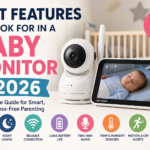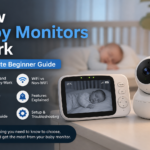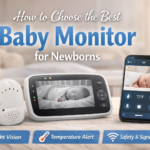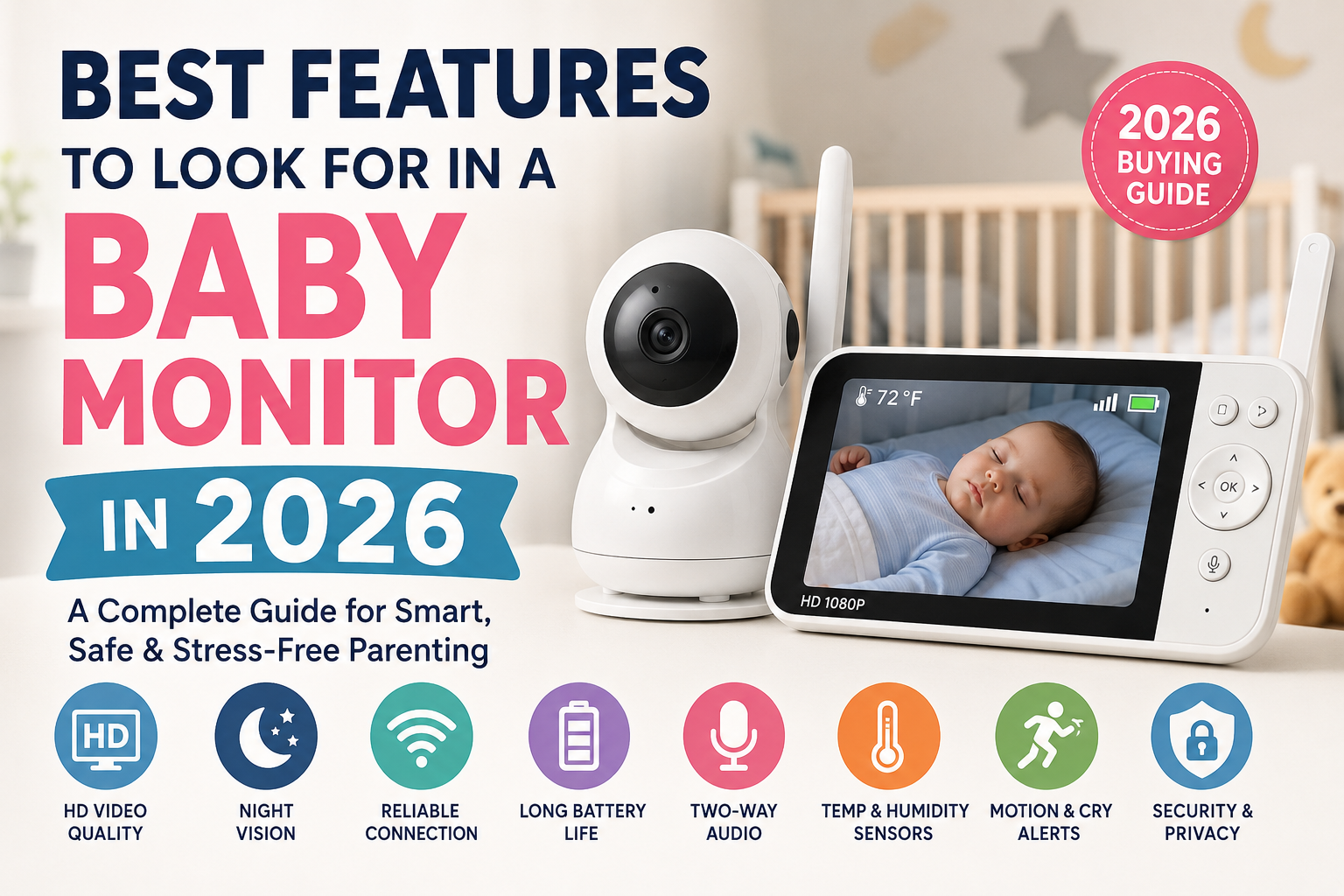
Choosing the right baby monitor in 2026 is more complicated than ever before. Parents now have hundreds of options, from simple audio monitors to advanced smart cameras with AI-powered sleep tracking and smartphone apps.
Some baby monitors focus on privacy and reliability, while others offer smart features like motion alerts, breathing monitoring, and cloud recording. The problem is that many brands advertise flashy features that parents may never actually use.
A baby monitor should make parenting easier, not more stressful.
The best baby monitor is not the one with the most expensive technology. It is the one that helps parents check on their baby clearly, safely, and reliably every single day.
This detailed guide explains the most important baby monitor features to look for in 2026, which features truly matter, and which extras may not be worth paying for.
Quick Answer: What Features Matter Most in a Baby Monitor?
If you want a fast answer before reading the full guide, these are the most important features parents should focus on when buying a baby monitor in 2026:
- Clear HD video quality
- Strong night vision
- Reliable connection and range
- Long battery life
- Two-way audio
- Secure connection and privacy protection
- Cry and movement alerts
- Easy setup and easy controls
- Safe mounting and cord placement
- Good app quality or parent unit performance
Parents should focus on reliability first. Fancy features do not matter if the monitor disconnects constantly or provides poor video quality during the night.
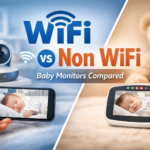
Wi-Fi vs Non-Wi-Fi Baby Monitors: Which Is Better in 2026?
One of the biggest decisions parents face is choosing between a Wi-Fi baby monitor and a non-Wi-Fi baby monitor.
Both options have strengths and weaknesses. The right choice depends on your lifestyle, privacy concerns, and how you plan to use the monitor every day.
Wi-Fi Baby Monitors
Wi-Fi baby monitors connect to your home internet and allow parents to check the camera through a smartphone app.
These monitors have become extremely popular because they offer flexibility and remote access.
Parents can:
- Watch the baby while at work
- Check the nursery while traveling
- Allow grandparents or babysitters to access the camera
- Receive smart notifications on their phone
- Save recordings to cloud storage
Some smart monitors now use AI technology to track crying, movement, and sleep habits.
This may sound impressive, but Wi-Fi monitors also have drawbacks.
They depend heavily on internet quality. If your internet connection becomes weak or unstable, the monitor may freeze, lag, or disconnect.
Parents may also worry about privacy and hacking risks. Any internet-connected camera can become vulnerable if security settings are weak.
That is why parents should always choose trusted brands that provide:
- Encrypted video streaming
- Two-factor authentication
- Frequent software updates
- Secure mobile apps
Non-Wi-Fi Baby Monitors
Non-Wi-Fi baby monitors use a direct wireless connection between the camera and the parent unit.
Many use FHSS technology, which creates a private connection without using the internet.
These monitors are popular because they are:
- Easier to set up
- More reliable in many homes
- Faster with less delay
- Better for privacy
- Less dependent on apps
Many parents prefer non-Wi-Fi monitors because they simply work without constant troubleshooting.
They are especially useful for:
- Parents who value privacy
- Grandparents who dislike smartphone apps
- Homes with poor internet
- Families who want a simpler experience
The biggest downside is that parents usually cannot check the monitor while away from home.
Which Type Is Better for Most Families?
There is no perfect answer for every family.
Wi-Fi monitors are usually best for parents who:
- Travel often
- Want smartphone access
- Like smart home features
- Need multiple caregivers to access the monitor
Non-Wi-Fi monitors are usually best for parents who:
- Want maximum privacy
- Prefer simplicity
- Need stable performance
- Do not want internet problems
In 2026, many parents are beginning to prioritize reliability and privacy over excessive smart features.
1. Clear HD Video Quality
Video quality is one of the most important features in any baby monitor.
Parents rely on the camera to quickly check whether the baby is sleeping safely, awake, moving comfortably, or needing attention.
Poor video quality can make parents anxious because they may struggle to clearly see what is happening inside the crib.
Why HD Video Matters
Modern baby monitors now commonly offer:
- 720p HD video
- 1080p Full HD video
- Enhanced low-light performance
- Wide-angle viewing
Higher video quality helps parents:
- See facial expressions clearly
- Check breathing movement
- Notice blankets or toys in the crib
- Monitor movement more accurately
- Reduce unnecessary nursery visits
Clear video becomes especially important during nighttime checks.
Parents should avoid monitors that provide blurry, grainy, or heavily delayed images.
Nighttime Video Quality Matters More Than Daytime Quality
Many baby monitors look great during the daytime but perform poorly at night.
Parents often spend more time checking the monitor overnight than during the day.
That means low-light performance is far more important than bright daytime performance.
A high-quality monitor should provide:
- Sharp nighttime images
- Minimal blur
- Fast adjustment to darkness
- Clear contrast
Nighttime clarity can greatly reduce stress during overnight checks.
Screen Size Is Often Overlooked
Some parents focus only on the camera and forget about the parent unit screen.
A tiny screen can make nighttime viewing frustrating.
Larger screens help parents:
- See details more easily
- Avoid eye strain
- Navigate menus faster
- Check movement clearly
If you plan to use a smartphone app instead of a parent unit, the app should stream smoothly without freezing or delays.
2. Strong Night Vision
Babies spend many hours sleeping in dark rooms, which makes night vision one of the most important baby monitor features.
Weak night vision can quickly become frustrating because parents may struggle to see whether the baby is sleeping safely.
How Baby Monitor Night Vision Works
Most baby monitors use infrared night vision technology.
This allows the camera to see clearly in dark rooms without using bright visible light that could disturb sleep.
Good night vision should:
- Activate automatically
- Show clear details
- Avoid blurry movement
- Work without bright lights
- Maintain stable image quality overnight
Why High-Quality Night Vision Is Important
Parents often use the monitor most during nighttime.
Strong night vision helps parents:
- Check sleep positions
- Monitor breathing movement
- Spot dropped pacifiers
- Notice signs of discomfort
- Avoid unnecessary nursery visits
Poor night vision may force parents to repeatedly walk into the nursery to check the baby manually.
That can interrupt sleep for both the baby and the parents.
Common Problems With Cheap Night Vision Cameras
Lower-quality monitors often struggle with:
- Washed-out images
- Motion blur
- Poor contrast
- Slow automatic switching
- Grainy black-and-white footage
Some cameras may also create glare or bright reflections that reduce visibility.
Parents should always read real customer reviews before buying.
3. Reliable Range and Connection Stability
A baby monitor is useless if the connection constantly drops.
Connection reliability matters more than fancy features.
Many parents regret buying monitors that disconnect whenever they move to another room or floor.
Advertised Range vs Real-World Performance
Some brands advertise extremely long ranges, but real homes contain:
- Walls
- Floors
- Furniture
- Electronic interference
A monitor that claims to work across 1,000 feet outdoors may perform much worse inside a home.
Large homes, apartments, and thick walls can reduce signal quality significantly.
Why Stable Connection Matters
A reliable monitor should provide:
- Smooth video streaming
- Clear audio
- Minimal delay
- Stable signal strength
- Fast reconnection
Frequent disconnects create stress because parents may constantly worry whether the monitor is still working properly.
FHSS Technology Explained
Many non-Wi-Fi monitors use FHSS technology.
FHSS stands for Frequency Hopping Spread Spectrum.
This technology creates a secure private connection between the camera and parent unit.
FHSS monitors are popular because they:
- Improve reliability
- Reduce lag
- Offer better privacy
- Avoid internet dependency
- Minimize interference
For many families, FHSS monitors provide the best balance between privacy and performance.
Wi-Fi Stability Depends on Your Internet
Wi-Fi monitors depend heavily on your home network quality.
Weak internet may cause:
- Video buffering
- App freezing
- Audio delay
- Disconnections
- Delayed alerts
Parents should always test Wi-Fi strength inside the nursery before choosing a smart monitor.
4. Long Battery Life
Battery life becomes extremely important once parents begin using the monitor daily.
A monitor with weak battery life can quickly become stressful during naps, overnight use, and travel.
Why Battery Life Matters So Much
Parents often rely on the monitor for many hours each day.
Weak batteries can lead to:
- Constant charging
- Missed alerts
- Screen shutdowns
- Increased stress during nighttime checks
Reliable battery life helps parents move around the house freely without worrying about the monitor dying.
What Counts as Good Battery Life in 2026?
Most quality baby monitors now provide:
- 8 to 12 hours of active screen time
- Longer performance in audio-only mode
- Fast charging support
- Power-saving features
Some premium monitors offer even longer battery performance.
VOX Mode Can Save Significant Battery
VOX mode is a popular battery-saving feature.
When the room is quiet, the monitor turns the screen off automatically.
The monitor activates again when sound is detected.
This helps:
- Extend battery life
- Reduce nighttime screen brightness
- Lower distractions
- Improve overnight performance
USB-C Charging Is Becoming Standard
Many modern monitors now use USB-C charging.
This is useful because parents can often share chargers with:
- Phones
- Tablets
- Portable batteries
- Laptops
USB-C also supports faster charging in many devices.
5. Two-Way Audio
Two-way audio allows parents to speak to their baby through the monitor.
This feature is much more useful than many parents expect.
How Two-Way Audio Helps Parents
Parents can:
- Calm the baby remotely
- Speak to toddlers during bedtime
- Comfort babies while preparing bottles
- Reassure children without entering the room
Sometimes hearing a parent’s voice is enough to help a baby settle back to sleep.
Audio Quality Matters More Than Most Parents Expect
Poor audio quality can create frustration.
Good two-way audio should provide:
- Clear sound
- Minimal delay
- Loud enough volume
- Reduced background noise
Robotic or delayed audio can confuse babies and frustrate parents.
Why Parents Use This Feature Frequently
Two-way audio becomes especially useful during:
- Sleep training
- Toddler bedtime routines
- Overnight wakeups
- Nap transitions
Parents often discover this becomes one of the most-used features after purchase.
6. Room Temperature and Humidity Sensors
Many baby monitors now include room temperature and humidity sensors.
These features help parents create a more comfortable nursery environment.
Why Nursery Temperature Matters
A room that is too hot or too cold can make sleep uncomfortable.
Temperature monitoring helps parents:
- Adjust clothing layers
- Improve comfort
- Prevent overheating
- Track seasonal changes
Some monitors send alerts if the room becomes too warm or too cold.
Humidity Monitoring Is Growing in Popularity
Dry air may irritate a baby’s nose or skin.
Humidity sensors can help parents decide whether they need:
- A humidifier
- Better ventilation
- Air conditioning adjustments
Parents Should Use Sensors as Guidance
Although these features are useful, they should not replace professional medical advice or proper nursery safety practices.
Sensors are best used as general guidance tools.
7. Smart Cry, Motion, and Sound Alerts
Smart alerts are becoming one of the biggest trends in baby monitors.
These features notify parents when the monitor detects changes in sound or movement.
Cry Detection Features
Some monitors can recognize crying and send alerts immediately.
This can help parents respond quickly during:
- Naps
- Overnight sleep
- Independent playtime
Motion Detection Features
Motion alerts can notify parents when:
- A baby wakes up
- A toddler stands in the crib
- Movement suddenly increases
Custom Sensitivity Settings Are Important
The best monitors allow parents to adjust sensitivity levels.
Without proper controls, monitors may create false alerts from:
- Fans
- White noise machines
- Pets
- Background sounds
Too many alerts can quickly become annoying.
AI Monitoring Features Are Expanding
Some advanced monitors now offer:
- Sleep analysis
- Cry interpretation
- Sleep trend reports
- AI-generated summaries
These features may help some parents, but they are not essential for everyone.
Reliable video and audio usually matter more.
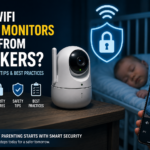
8. Security and Privacy Features
Security has become one of the biggest concerns for parents buying smart baby monitors.
Many modern monitors connect to the internet, store video recordings in the cloud, and allow remote viewing through smartphone apps. While these features can be convenient, they also create privacy risks if security protections are weak.
Parents are placing cameras inside nurseries and bedrooms, which makes security extremely important.
Why Baby Monitor Security Matters
A poorly secured baby monitor may become vulnerable to:
- Unauthorized access
- Weak passwords
- Hacking attempts
- Data leaks
- Privacy concerns
Although security problems are not common with trusted brands, parents should still take safety seriously.
Important Security Features to Look For
A secure baby monitor should include:
- Encrypted video streaming
- Two-factor authentication
- Regular software updates
- Secure mobile apps
- Strong password support
Encryption helps protect the video feed from outside access.
Two-factor authentication adds another layer of protection by requiring extra verification before someone can log into the account.
Trusted Brands Usually Offer Better Protection
Well-known brands often provide:
- More frequent security updates
- Better customer support
- Safer apps
- Improved privacy protections
Cheaper unknown brands may not maintain strong security systems long term.
Parents should always research the company before buying a Wi-Fi monitor.
Simple Security Tips for Parents
Parents can improve baby monitor security by:
- Using strong passwords
- Changing default passwords immediately
- Updating apps regularly
- Avoiding public Wi-Fi access
- Enabling security settings
- Keeping software updated
A secure monitor helps parents feel more comfortable using smart technology inside the home.
9. Safe Design and Cord-Free Setup
Technology matters, but physical safety matters even more.
Parents sometimes focus heavily on video quality and forget about nursery safety during setup.
Improper monitor placement can create serious hazards.
Keep All Cords Away From the Crib
Baby monitor cords should always remain far away from:
- Cribs
- Bassinets
- Sleeping areas
- Play spaces
Loose cords can create strangulation risks.
Even short cords may become dangerous if babies or toddlers can reach them.
Wall Mounting Can Improve Safety
Wall-mounted cameras often provide:
- Better viewing angles
- Safer cord placement
- More stable positioning
- Reduced risk of tipping
Many modern monitors include mounting kits or flexible stands.
Stable Cameras Matter More Than Appearance
Some cameras look stylish but are not stable enough for daily use.
A camera should:
- Sit securely
- Resist tipping
- Stay firmly mounted
- Avoid shifting easily
An unstable camera may:
- Fall into the crib
- Disconnect often
- Create unnecessary risks
Cord Management Is Extremely Important
Parents should use:
- Cable covers
- Cord clips
- Hidden routing
- Secure wall placement
The safest setup keeps every wire completely out of reach.
Avoid Overcrowding the Nursery
Parents should avoid placing too many devices around the crib area.
A safer nursery setup usually includes:
- Minimal cords
- Clear crib space
- Secure camera placement
- Proper airflow
Safety should always come before appearance or convenience.
10. Multi-Camera and Split-Screen Support
Families with more than one child often benefit from multi-camera support.
Some baby monitors allow parents to connect multiple cameras to one monitor or smartphone app.
This feature becomes extremely useful for growing families.
Best for Twins and Multiple Children
Multi-camera systems help parents:
- Watch twins at the same time
- Monitor babies and toddlers together
- Cover multiple rooms
- Check playrooms and nurseries
Instead of carrying separate monitors, parents can manage everything through one system.
Split-Screen Viewing Makes Monitoring Easier
Split-screen mode allows parents to view multiple cameras at once.
This feature reduces the need to constantly switch between cameras.
Parents can quickly monitor:
- Different sleeping areas
- Shared rooms
- Multiple children simultaneously
Expandable Systems Save Money Long Term
Some baby monitor brands allow parents to add cameras later.
This can save money because parents do not need to replace the entire system when another child arrives.
Expandable systems are helpful for families planning to:
- Have more children
- Move into larger homes
- Monitor additional rooms
Camera Switching Speed Matters
Some systems switch smoothly between cameras, while others experience delays.
Parents should look for systems with:
- Fast camera switching
- Stable split-screen performance
- Clear video across all cameras
- Reliable connection stability
Poor switching speed can become frustrating during busy moments.
11. Pan, Tilt, Zoom, and Wide-Angle Viewing
A fixed camera angle may not always show the entire nursery.
That is why many parents prefer monitors with pan, tilt, and zoom controls.
These features provide better room coverage and flexibility.
Pan and Tilt Controls
Pan and tilt features allow parents to move the camera remotely.
This can help parents:
- Follow active toddlers
- Adjust the viewing angle
- Check different areas of the room
- Monitor crib movement more easily
Remote camera movement becomes especially useful once babies become more active.
Zoom Features Help Parents Check Details
Zoom allows parents to look more closely at the crib.
Parents may use zoom to:
- Check breathing movement
- View facial expressions
- See pacifiers clearly
- Monitor sleep positions
Digital Zoom vs Optical Zoom
There is an important difference between digital zoom and optical zoom.
Digital zoom enlarges the image electronically, which can reduce image quality.
Optical zoom uses the camera lens itself and usually provides clearer results.
Parents who care about image clarity should pay attention to this difference.
Wide-Angle Cameras Cover More Space
Wide-angle lenses can reduce blind spots.
This helps parents monitor:
- Larger nurseries
- Toddler movement
- Multiple sleeping areas
A wider view often reduces the need to constantly adjust the camera position.
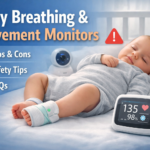
12. Breathing, Oxygen, and Sleep Tracking Features
Some premium baby monitors now include advanced health tracking features.
These tools may monitor:
- Breathing movement
- Oxygen levels
- Sleep patterns
- Heart rate
- Movement activity
These systems have become more popular with first-time parents.
Wearable Devices and Sensor Pads
Some systems use wearable devices like socks or clips.
Others place sensors under the mattress.
These systems attempt to monitor movement and sleep activity throughout the night.
Why Some Parents Find These Features Reassuring
Parents may feel more comfortable using these features during the newborn stage.
Some systems provide:
- Breathing alerts
- Sleep summaries
- Movement tracking
- Oxygen monitoring
This extra information may help parents feel more aware of sleep patterns.
Parents Should Understand the Limits
It is important to understand that most baby monitors are not medical devices unless officially approved for medical use.
These products should never replace:
- Safe sleep practices
- Pediatric advice
- Professional medical care
Baby monitors cannot prevent medical emergencies.
Subscription Costs Are Common
Many advanced tracking systems require monthly subscriptions.
These fees may include:
- Cloud storage
- Sleep analytics
- Detailed reports
- Historical data tracking
Parents should carefully calculate the long-term cost before buying.
Simple Monitors Are Often Enough
Many families discover they do not actually need advanced health tracking features.
Reliable video, clear audio, and strong night vision are often more useful in everyday life.
13. Lullabies, White Noise, and Night Lights
Many baby monitors now include built-in nursery comfort features like lullabies, white noise, and soft lighting.
Although these features may seem minor at first, they can become very helpful during bedtime routines.
How White Noise Helps Babies Sleep
White noise creates steady background sound that may help babies sleep longer and more comfortably.
It can help block:
- Traffic sounds
- Barking dogs
- Household noise
- Loud siblings
- Sudden sounds
Many monitors now include sound options like:
- Rain sounds
- Ocean sounds
- Fan sounds
- Heartbeat sounds
- Soft lullabies
Night Lights Help During Overnight Care
A soft night light can make nighttime feeding and diaper changes easier.
Parents may avoid turning on bright room lights that fully wake the baby.
Some monitors allow parents to:
- Adjust brightness
- Change colors
- Control lighting remotely
- Set automatic schedules
Soft warm lighting is usually more calming for babies during nighttime care.
Remote Sound Controls Add Convenience
Some monitors allow parents to activate sounds remotely through the app or parent unit.
This can help parents quickly soothe babies during naps or overnight wakeups.
These Features Should Remain Secondary
Although comfort features are helpful, they should never matter more than:
- Reliable connection
- Clear video
- Strong audio
- Long battery life
- Safe setup
Fancy extras do not matter if the monitor performs poorly in basic areas.
14. App Quality and Subscription Costs
Many parents focus heavily on hardware and forget about the app experience.
A poor app can ruin an otherwise excellent baby monitor.
What Makes a Good Baby Monitor App?
A strong app should:
- Open quickly
- Stream smoothly
- Send reliable alerts
- Avoid crashing
- Be easy to navigate
Parents should also check app store reviews before buying a monitor.
Poor Apps Create Daily Frustration
Bad apps may experience:
- Constant freezing
- Login problems
- Notification delays
- Slow video loading
- Audio lag
Even expensive monitors can become frustrating if the app performs poorly.
Subscription Costs Can Add Up Quickly
Some companies charge monthly fees for features like:
- Cloud video storage
- AI sleep reports
- Extended recording history
- Premium alerts
- Additional caregiver access
Although these fees may seem small monthly, they can become expensive over several years.
Parents should always compare the total long-term cost before purchasing.
Multiple Caregiver Access Can Be Useful
Some apps allow multiple family members to view the monitor.
This can help:
- Grandparents
- Babysitters
- Partners
- Caregivers
Easy sharing features are helpful for busy families.
15. Portability and Travel-Friendly Design
Parents who travel often should carefully consider portability before buying a baby monitor.
Some monitors work perfectly at home but become frustrating during trips because they are bulky or difficult to set up.
What Makes a Baby Monitor Travel-Friendly?
Travel-friendly monitors usually include:
- Compact camera size
- Lightweight design
- Long battery life
- Simple setup
- Portable charging options
Battery Life Matters Even More During Travel
Strong battery life becomes extremely important during:
- Flights
- Road trips
- Hotel stays
- Camping
- Visits to relatives
Parents may not always have easy access to charging outlets.
Simple Setup Reduces Stress
Parents already deal with enough stress during travel.
A monitor should work quickly without:
- Complicated pairing
- App troubleshooting
- Long setup steps
Many parents prefer non-Wi-Fi monitors during travel because they do not depend heavily on hotel internet quality.
Flexible Mounting Options Help in Different Locations
Portable mounting systems help parents position cameras inside:
- Hotels
- Vacation rentals
- Guest rooms
- Temporary nurseries
Flexible stands and clip mounts can make setup much easier.
Baby Monitor Features Comparison Table
| Feature | Why It Matters | Must-Have or Nice-to-Have |
|---|---|---|
| HD Video Quality | Helps parents clearly see the baby | Must-Have |
| Night Vision | Important for overnight monitoring | Must-Have |
| Reliable Connection | Prevents disconnects and delays | Must-Have |
| Long Battery Life | Reduces charging stress | Must-Have |
| Two-Way Audio | Helps calm babies remotely | Must-Have |
| Temperature Sensor | Improves nursery comfort | Nice-to-Have |
| Humidity Sensor | Helps monitor room conditions | Nice-to-Have |
| Motion Alerts | Notifies parents of movement | Nice-to-Have |
| Cry Detection | Sends alerts when baby cries | Nice-to-Have |
| Multi-Camera Support | Useful for twins or multiple rooms | Nice-to-Have |
| White Noise Features | Helps bedtime routines | Nice-to-Have |
| Sleep Tracking | Provides additional sleep insights | Nice-to-Have |
| App Access | Allows remote viewing | Depends on family needs |
| AI Monitoring Features | Offers advanced analysis | Optional |
| Cloud Recording | Saves footage online | Optional |
Features You Probably Do Not Need
Modern baby monitors now include many advanced features, but not every feature is necessary for every family.
Some brands add flashy tools mainly to make products look more advanced than competitors.
Parents should focus on features that truly improve safety, comfort, reliability, and daily convenience.
Too Many AI Features Can Become Overwhelming
Some premium monitors now offer:
- Sleep scores
- Cry prediction tools
- Daily sleep reports
- AI-generated recommendations
- Movement analytics
Although these features may sound impressive, many parents stop using them after the first few weeks.
Too much information can sometimes create more anxiety instead of helping parents feel calmer.
Many families simply want:
- Clear video
- Reliable audio
- Strong night vision
- Easy monitoring
Simple and reliable performance is often more valuable than complicated analytics.
Expensive Monthly Subscriptions
Subscription fees have become increasingly common in smart baby monitors.
Some brands charge monthly fees for:
- Cloud storage
- AI sleep reports
- Extended recording history
- Extra caregiver accounts
- Smart notifications
These costs may seem small at first, but they can become expensive over time.
For example, a monthly subscription may continue for several years, making the total cost much higher than expected.
Parents should always calculate:
- Initial purchase cost
- Subscription fees
- Long-term expenses
Sometimes a monitor with fewer smart features provides much better overall value.
Overly Complicated Smart Home Features
Some baby monitors now connect with:
- Smart speakers
- Voice assistants
- Smart lighting systems
- Home automation apps
While these features may sound exciting, they are not necessary for most families.
Complicated smart systems may create:
- More setup problems
- Extra app issues
- Connection failures
- Slower performance
Parents usually benefit more from a monitor that works consistently every night.
Very High Zoom Levels Are Often Unnecessary
Some companies advertise extremely powerful zoom features.
However, large digital zoom levels often reduce image quality and make the picture blurry.
Parents generally only need enough zoom to:
- Check breathing movement
- See facial expressions
- Monitor sleep position
- View crib details clearly
Huge zoom levels are often more marketing than practical value.
Fancy Designs Should Never Matter More Than Safety
Some baby monitors focus heavily on appearance and nursery aesthetics.
Stylish cameras may look attractive, but parents should prioritize:
- Safe mounting
- Stable placement
- Reliable connection
- Strong night vision
- Good video quality
Performance and safety always matter more than appearance.
The Best Baby Monitor Is Usually the Simplest Reliable One
Many parents eventually discover that the best baby monitor is not the one with the longest feature list.
The best monitor is usually the one that:
- Connects quickly
- Works reliably every night
- Has strong battery life
- Provides clear video
- Feels easy to use during stressful moments
Simple and dependable products often create the best long-term experience for families.
How to Choose the Right Baby Monitor for Your Family
Every family has different needs.
The best baby monitor for one household may not work well for another.
Parents should think carefully about:
- Home size
- Internet quality
- Privacy concerns
- Travel habits
- Budget
- Number of children
Choosing the right monitor becomes easier when parents focus on their real daily needs instead of marketing claims.
Best Baby Monitor for Privacy-Focused Families
Parents who care most about privacy usually prefer non-Wi-Fi monitors.
FHSS monitors are popular because they:
- Use private wireless connections
- Avoid internet dependency
- Reduce hacking risks
- Work with lower delay
These monitors are often simpler and more reliable.
Best Baby Monitor for Smart Home Users
Parents who enjoy smart technology may prefer Wi-Fi monitors with app support.
These monitors are useful for families who want:
- Smartphone access
- Remote viewing
- Smart notifications
- Cloud recording
- Multiple caregiver access
However, parents should ensure their home internet is strong enough for stable performance.
Best Baby Monitor for Twins
Parents with twins often benefit from:
- Split-screen viewing
- Multiple camera support
- Wide-angle lenses
- Strong audio monitoring
Expandable systems can also save money long term.
Best Baby Monitor for Travel
Travel-friendly monitors should provide:
- Long battery life
- Fast setup
- Lightweight design
- Stable connection
- Portable charging
Non-Wi-Fi systems are often easier during travel because they do not rely heavily on hotel internet.
Best Baby Monitor for Budget Buyers
Budget buyers should still prioritize core features like:
- Clear night vision
- Reliable connection
- Strong battery life
- Good audio quality
A lower-priced monitor can still perform very well if the core features are strong.
Best Baby Monitor for Data-Oriented Parents
Some parents enjoy detailed sleep tracking and advanced monitoring features.
These parents may prefer smart monitors with:
- Sleep reports
- AI tracking
- Movement analysis
- Smartphone insights
However, parents should remember that these features are optional, not essential.
Baby Monitor Buying Checklist for 2026
Before buying a baby monitor, parents should review the following checklist carefully.
A quick checklist can help avoid purchasing the wrong monitor.
Video and Audio Quality
Ask yourself:
- Is the video clear during daytime and nighttime?
- Does the monitor provide strong night vision?
- Is the audio clear without static or delays?
Connection Reliability
Parents should check:
- Does the monitor disconnect often?
- Is the range strong enough for the home?
- Does the monitor reconnect quickly?
Battery Performance
Consider:
- How long does the battery last?
- Does it support fast charging?
- Does it include power-saving features?
Safety Features
Always check:
- Are cords safely hidden?
- Can the camera mount securely?
- Is the setup safe around cribs?
Privacy and Security
For Wi-Fi monitors, ask:
- Does the app use encryption?
- Are software updates provided?
- Does the system support strong passwords?
Ease of Use
A good monitor should feel simple to use during stressful moments.
Parents should consider:
- Is setup easy?
- Is the app reliable?
- Are controls simple to understand?
Long-Term Costs
Before buying, check for:
- Monthly subscriptions
- Cloud storage fees
- Premium app costs
- Additional camera pricing
Some monitors appear affordable at first but become expensive over time.
FAQs
What is the most important feature in a baby monitor?
The most important features are reliable connection, clear video quality, strong night vision, and safe setup.
These features directly affect daily performance and safety.
Is a Wi-Fi or non-Wi-Fi baby monitor better?
Wi-Fi monitors offer remote viewing and smart features, while non-Wi-Fi monitors usually provide better privacy and simpler setup.
The best choice depends on the family’s needs.
Do baby monitors work without internet?
Yes. Non-Wi-Fi baby monitors use a direct wireless connection and do not require internet access.
Are smart baby monitors safe?
Smart baby monitors can be safe when parents use strong passwords, software updates, and secure apps.
Choosing trusted brands also improves security.
Do baby monitors prevent SIDS?
No. Baby monitors should never replace safe sleep practices or professional medical advice.
What is a good baby monitor range?
A good monitor should work reliably throughout your home, including through walls and across floors.
Is 1080p necessary for a baby monitor?
1080p video can improve image quality, but strong night vision and reliable connection are often more important.
Are breathing monitors worth it?
Some parents find breathing monitors reassuring, especially during the newborn stage.
However, they are optional for most families.
Can baby monitors be hacked?
Wi-Fi monitors can become vulnerable if security settings are weak.
Strong passwords and updated software greatly improve safety.
How far should a baby monitor be from the crib?
The monitor and all cords should remain safely out of the baby’s reach.
Final Verdict: What Features Are Worth Paying For in 2026?
The best baby monitor features in 2026 focus on reliability, safety, and ease of use.
Parents should prioritize:
- Clear HD video
- Strong night vision
- Reliable connection
- Long battery life
- Safe mounting
- Good security features
- Clear audio performance
Fancy extras like AI sleep tracking and advanced analytics may sound exciting, but they are not essential for most families.
A baby monitor should reduce stress, not create more of it.
In the end, the best baby monitor is the one that helps parents check on their baby clearly, safely, and confidently every single day.