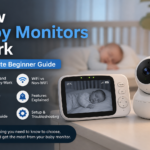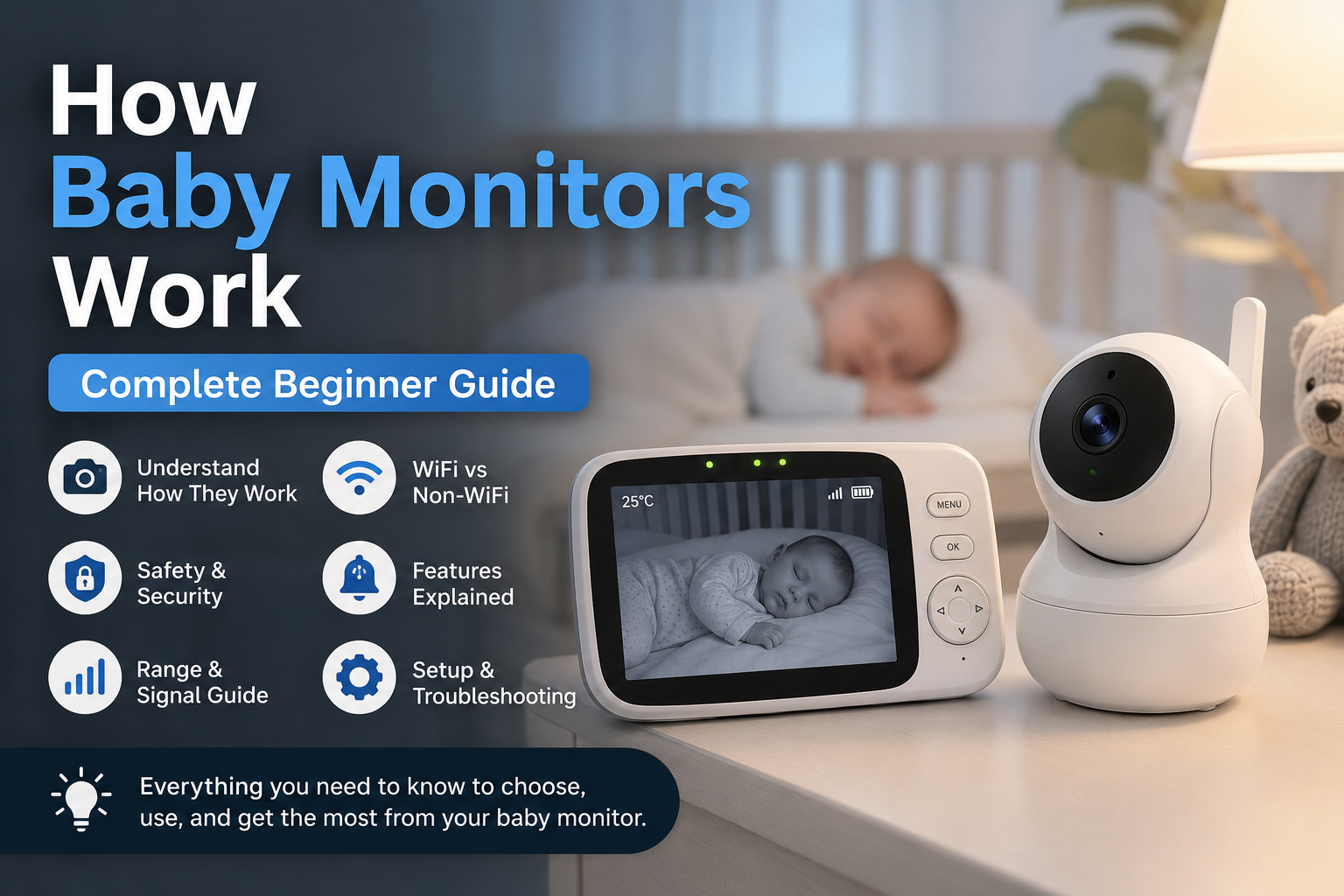
How Baby Monitors Work, Complete Beginner Guide

Baby monitors have become one of the most useful tools for modern parents. They allow caregivers to hear, see, and monitor their baby while being in another room. Whether you are cooking dinner, working from home, or resting after putting your baby to sleep, a baby monitor helps you stay connected without constantly walking into the nursery.

Over the years, baby monitors have changed a lot. Older models only transmitted sound, but today’s devices can provide live video feeds, room temperature tracking, motion alerts, breathing monitoring, smartphone access, and even sleep analytics.

For first-time parents, understanding how baby monitors work can feel overwhelming. There are many different types, technologies, and features available, and not every monitor works the same way.

This guide explains everything in simple but professional language. You will learn how baby monitors function, the difference between WiFi and non-WiFi systems, the technology behind wireless monitoring, important safety considerations, and how to choose the best monitor for your needs.

What Is a Baby Monitor?

A baby monitor is a wireless device that allows parents to monitor their baby remotely from another room or location inside the home.

Most baby monitors include two main components:

  • A baby unit placed inside the nursery
  • A parent unit, monitor screen, or mobile app used by caregivers

The baby unit captures information such as sound, video, movement, or room conditions. That information is then transmitted wirelessly to the parent unit or smartphone.

Baby monitors are designed to provide convenience and reassurance. Instead of entering the nursery repeatedly and risking waking the baby, parents can monitor sleep, movement, and noise levels remotely.

Modern baby monitors are now used for much more than listening for crying. Many models help parents:

  • Watch live video feeds
  • Monitor room temperature
  • Receive motion alerts
  • Use two-way communication
  • Track sleep activity
  • Monitor multiple children at once

The type of monitor you choose depends on your home setup, privacy preferences, and the level of monitoring you want.

How Do Baby Monitors Work?

Baby monitors work by collecting audio, video, or movement data from the baby’s room and wirelessly transmitting it to another device used by the parent.

Although different models use different technologies, the basic process stays mostly the same.

Step 1, The Baby Unit Collects Information

The baby unit is the device placed inside the nursery. Depending on the monitor type, it may contain:

  • A microphone for sound detection
  • A camera for video monitoring
  • Infrared sensors for night vision
  • Motion or breathing sensors
  • Temperature sensors
  • Speakers for two-way communication

Audio monitors mainly rely on microphones to pick up sounds like crying, coughing, or movement. Video monitors include cameras that continuously capture live footage of the baby’s sleeping area.

Smart baby monitors may also use sensors and software algorithms to track movement patterns, breathing motion, and sleep activity.

Step 2, The Monitor Converts Information Into Wireless Signals

Once sound or video is captured, the monitor converts the information into wireless signals.

These signals are transmitted using technologies such as:

  • Radio frequency
  • FHSS technology
  • DECT systems
  • WiFi
  • Bluetooth

Non-WiFi monitors usually send signals directly from the baby unit to the parent unit. WiFi monitors send the information through the home internet network so parents can access the feed from a smartphone or tablet.

The quality and stability of this transmission depend on several factors, including signal strength, wall thickness, interference, and internet quality.

Step 3, The Parent Unit Receives the Signal

The parent unit receives the wireless transmission and converts it back into audio or video.

Depending on the monitor type, parents may use:

  • A dedicated handheld monitor
  • A smartphone app
  • A tablet
  • A desktop computer

Many parent units include additional controls for:

  • Volume adjustment
  • Brightness settings
  • Camera movement
  • Alert sensitivity
  • Zoom functions

This allows parents to monitor the nursery in real time without entering the room.

Step 4, Alerts and Notifications Are Triggered

Most modern baby monitors can detect changes in the nursery environment and notify parents instantly.

Common alerts include:

  • Cry detection
  • Motion detection
  • No movement alerts
  • Room temperature warnings
  • Signal loss notifications
  • Low battery alerts

Smart monitors may also provide sleep summaries and activity tracking through mobile apps.

Main Parts of a Baby Monitor

Understanding the main parts of a baby monitor makes it easier to compare different models and features.

Baby Unit

The baby unit is placed inside the nursery near the cot or crib.

This unit is responsible for collecting information from the room. Depending on the model, it may include:

  • High-definition camera
  • Sensitive microphone
  • Night vision infrared lights
  • Motion sensors
  • Temperature sensors
  • Built-in speakers
  • Pan and tilt motors

The placement of the baby unit is extremely important. It should provide a clear view of the baby while remaining safely out of reach.

Parent Unit

The parent unit is the device used by caregivers to monitor the baby remotely.

Traditional monitors include a dedicated handheld screen with built-in speakers and controls. These devices are designed for quick access and usually work without needing WiFi.

Common features include:

  • LCD display screen
  • Volume controls
  • Rechargeable battery
  • Vibration alerts
  • Signal indicators
  • Brightness adjustment

Higher-end parent units may support multiple cameras and split-screen viewing.

Mobile Apps

WiFi baby monitors often use mobile apps instead of dedicated parent units.

These apps allow parents to:

  • View live video feeds
  • Receive push notifications
  • Review recordings
  • Control camera settings
  • Speak through the monitor
  • Share access with family members

App-based systems are popular because they allow monitoring from almost anywhere with an internet connection.

Types of Baby Monitors and How Each One Works

Different baby monitors are designed for different parenting needs. Understanding the differences helps parents choose the right system.

Audio Baby Monitors

Audio baby monitors are the simplest type available.

They use microphones to capture sound from the nursery and transmit it to a parent unit. These monitors do not include video features.

Audio monitors are popular because they are:

  • Affordable
  • Easy to use
  • Lightweight
  • Reliable for basic monitoring

Most modern audio monitors use DECT technology, which helps reduce interference and improves sound clarity.

These monitors work well for parents who mainly want to hear when the baby wakes or cries.

Video Baby Monitors

Video baby monitors include a built-in camera that streams live footage to a screen or app.

These systems allow parents to both hear and see the baby in real time.

Most video monitors now include features such as:

  • Night vision
  • Zoom controls
  • Pan and tilt functions
  • Split-screen viewing
  • Temperature monitoring

Video monitors are especially useful for parents who want visual reassurance during naps and bedtime.

WiFi Baby Monitors

WiFi baby monitors connect to the home internet network.

Instead of transmitting directly to a handheld monitor, they send data through the internet to a smartphone or tablet app.

This allows parents to monitor the baby remotely from different rooms or even while away from home.

Benefits include:

  • Remote access
  • Smartphone notifications
  • Cloud video storage
  • Advanced smart features

However, WiFi monitors depend heavily on internet quality and security settings.

Non-WiFi Baby Monitors

Non-WiFi monitors use direct wireless communication between the baby unit and parent unit.

These systems do not rely on the internet.

Because they use closed communication systems, they are often considered:

  • More secure
  • Easier to set up
  • Less vulnerable to hacking

Many parents choose non-WiFi monitors because they provide stable performance without needing apps or internet access.

Movement Baby Monitors

Movement baby monitors are designed to track movement and breathing motion.

These systems may use:

  • Sensor pads under the mattress
  • Wearable devices
  • Camera-based movement analysis

If no movement is detected for a certain period, the monitor sends an alert to the parent.

These monitors are often used by parents who want additional reassurance during sleep.

Smart Baby Monitors

Smart baby monitors combine multiple technologies into one system.

These monitors may include:

  • AI sleep tracking
  • Cry analysis
  • Breathing monitoring
  • Temperature tracking
  • Smartphone control
  • Sleep reports

Although smart monitors offer advanced features, they are usually more expensive and may require subscriptions for cloud storage or advanced analytics.

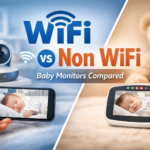
WiFi vs Non-WiFi Baby Monitors

One of the biggest decisions parents face is choosing between WiFi and non-WiFi monitors.

WiFi Baby Monitors

WiFi monitors connect to your home internet network and allow remote viewing through apps.

Advantages

  • Access from anywhere
  • Smartphone control
  • Smart alerts and notifications
  • Recording and cloud storage
  • Easy sharing with family members

Disadvantages

  • Depend on internet stability
  • Higher privacy risks if unsecured
  • More setup requirements
  • Potential app connectivity issues

WiFi monitors are ideal for parents who travel frequently or want advanced smart features.

Non-WiFi Baby Monitors

Non-WiFi monitors create a direct connection between the camera and parent unit.

Advantages

  • Better privacy
  • Faster connection
  • Easier setup
  • Stable signal indoors

Disadvantages

  • No remote viewing outside the home
  • Fewer smart features
  • Limited app integration

Non-WiFi systems are often preferred by parents focused on simplicity and privacy.

What Technologies Do Baby Monitors Use?

Baby monitors use several wireless technologies to transmit information safely and efficiently.

Radio Frequency Technology

Older monitors often use radio frequency signals to send audio between units.

Although simple, these systems can sometimes experience interference from nearby electronics.

DECT Technology

DECT stands for Digital Enhanced Cordless Telecommunications.

This technology is commonly used in audio monitors because it provides:

  • Clear sound quality
  • Reduced interference
  • Secure connections

DECT systems are known for stable audio performance.

FHSS Technology

FHSS stands for Frequency Hopping Spread Spectrum.

This technology constantly changes transmission frequencies during operation.

Benefits include:

  • Better security
  • Reduced interference
  • Stable signal transmission

Many non-WiFi video monitors use FHSS technology.

WiFi Technology

WiFi monitors connect to the internet through a home router.

This allows live video streaming and app-based monitoring from different locations.

Bluetooth Technology

Some compact smart monitors use Bluetooth for short-range communication.

Bluetooth systems usually have shorter range compared to WiFi monitors.

Infrared Night Vision

Night vision uses infrared lights to capture video in dark rooms.

These infrared lights are invisible to the human eye and allow clear nighttime viewing without disturbing the baby.

VOX Mode

VOX mode activates the monitor only when sound is detected.

This helps:

  • Save battery life
  • Reduce unnecessary noise
  • Improve nighttime monitoring

VOX mode is commonly found in audio and video monitors.
How Baby Monitor Range Works

The range of a baby monitor refers to the distance the signal can travel between the baby unit and the parent unit without losing connection quality.

Many manufacturers advertise large range numbers, but real-world performance often depends on the layout of the home and environmental conditions.

Understanding how range works helps parents avoid signal issues and choose a monitor that performs reliably in daily use.

Walls and Obstacles Affect Signal Strength

Physical barriers inside the home can weaken wireless signals.

Common obstacles include:

  • Brick walls
  • Concrete walls
  • Metal surfaces
  • Furniture
  • Floors and ceilings

For example, a monitor may work perfectly in an open room but struggle when the parent unit is used upstairs or several rooms away.

Homes with thick walls usually experience shorter effective range compared to open-plan homes.

Distance Reduces Signal Quality

The farther the parent unit moves away from the nursery, the weaker the signal becomes.

Weak signals may cause:

  • Delayed audio
  • Frozen video
  • Static noise
  • Signal dropouts
  • Reduced video quality

Most monitors perform best within their recommended indoor range rather than their advertised outdoor range.

WiFi Strength Matters for Smart Monitors

WiFi baby monitors depend heavily on internet quality and router placement.

Weak WiFi signals can lead to:

  • Video buffering
  • Delayed notifications
  • App disconnections
  • Poor video resolution

Placing the WiFi router closer to the nursery often improves signal stability and streaming quality.

Some parents also use WiFi extenders to improve coverage in larger homes.

Electronic Interference Can Affect Performance

Certain household electronics can interfere with wireless signals.

Common sources of interference include:

  • Microwaves
  • Cordless phones
  • Bluetooth devices
  • Smart home systems
  • Nearby wireless networks

Modern baby monitors using FHSS or DECT technology are designed to reduce these interference problems.

Battery Levels Can Impact Signal Stability

Low battery power may reduce signal strength and monitor performance.

When battery levels are low, some monitors may experience:

  • Weaker transmission
  • Connection drops
  • Screen lag
  • Reduced audio quality

Keeping both units properly charged helps maintain stable performance.

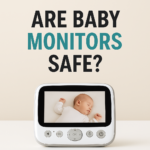
Are Baby Monitors Safe?

Baby monitors are generally safe when used correctly. However, parents should still follow proper setup and safety guidelines to avoid unnecessary risks.

The biggest safety concerns usually involve:

  • Cable placement
  • Unsafe mounting
  • Wireless security
  • Overreliance on technology

Safe Placement Is Extremely Important

The baby unit should always be positioned safely away from the cot or crib.

Parents should:

  • Keep cords completely out of reach
  • Avoid hanging cables near the sleeping area
  • Secure wall-mounted cameras properly
  • Maintain a safe viewing distance

Loose cords can create strangulation hazards if they are placed too close to the baby.

Experts generally recommend placing the monitor several feet away while still maintaining a clear camera angle.

Avoid Placing the Monitor Inside the Cot

The baby unit should never be placed:

  • Inside the crib
  • Under blankets
  • Attached loosely to the cot
  • Within grabbing distance

Even small devices can become dangerous if they fall into the sleeping area.

Wireless Radiation Concerns

Many parents worry about radiation from wireless baby monitors.

Like smartphones and WiFi routers, baby monitors emit low levels of radio frequency energy because they use wireless communication systems.

Parents who want to reduce wireless exposure can:

  • Place the monitor farther from the crib
  • Use VOX mode
  • Turn off unused features
  • Choose non-WiFi monitors

Although current evidence does not show major safety concerns from normal monitor use, some parents prefer minimizing unnecessary wireless exposure.

Baby Monitors Are Not Medical Devices

Most baby monitors are designed for convenience and reassurance, not medical monitoring.

Even monitors with breathing or movement alerts should not replace:

  • Medical supervision
  • Safe sleep practices
  • Regular parental checks

Parents should continue following safe sleep recommendations regardless of monitor features.

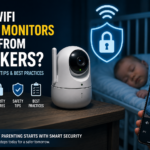
Can Baby Monitors Be Hacked?

Security and privacy have become major concerns with internet-connected baby monitors.

WiFi monitors can potentially be hacked if proper security measures are ignored.

Non-WiFi monitors are usually considered more secure because they do not rely on internet connections.

How WiFi Baby Monitors Become Vulnerable

Hackers often target devices with weak security settings.

Common risks include:

  • Weak passwords
  • Outdated software
  • Unsecured WiFi networks
  • Shared account access

If security is poor, unauthorized users could potentially access the monitor feed.

Although serious security incidents are relatively uncommon, parents should still take precautions.

Use Strong Passwords

Strong passwords are one of the most important security protections.

Avoid simple passwords such as:

  • 123456
  • password
  • babymonitor

A strong password should include:

  • Uppercase letters
  • Lowercase letters
  • Numbers
  • Symbols

Unique passwords reduce the risk of unauthorized access.

Keep Software Updated

Manufacturers regularly release updates to:

  • Improve security
  • Fix bugs
  • Improve app performance
  • Address vulnerabilities

Parents should keep:

  • Mobile apps updated
  • Monitor firmware updated
  • Router software updated

Ignoring updates can leave devices exposed to known security problems.

Secure the Home WiFi Network

A secure home internet connection is extremely important for WiFi monitors.

Parents should:

  • Use strong WiFi passwords
  • Enable WPA2 or WPA3 encryption
  • Avoid public networks
  • Disable unnecessary remote access

A secure router provides an important layer of protection.

Enable Two-Factor Authentication

Some monitor apps support two-factor authentication.

This feature adds an extra security step during login by requiring a second verification method.

Two-factor authentication greatly improves account security.

Limit Shared Access

Parents should only share monitor access with trusted individuals.

The more accounts connected to the monitor, the greater the security risk becomes.

Common Baby Monitor Features Explained

Modern baby monitors include many features that improve convenience, monitoring quality, and ease of use.

Some features are essential, while others are designed for additional comfort and smart monitoring.

Night Vision

Night vision allows parents to see the nursery clearly in darkness.

Most baby monitors use infrared LEDs that:

  • Activate automatically in low light
  • Remain invisible to the human eye
  • Do not disturb the baby’s sleep

High-quality night vision is especially important for overnight monitoring.

Two-Way Talk

Two-way talk allows parents to speak through the monitor using the parent unit or smartphone app.

This feature is often used to:

  • Calm the baby
  • Comfort toddlers
  • Speak without entering the room

Some parents also use two-way communication while traveling between rooms in the house.

Room Temperature Monitoring

Many baby monitors include built-in temperature sensors.

These sensors track nursery temperature and may send alerts if the room becomes:

  • Too hot
  • Too cold

Maintaining a comfortable room temperature supports better sleep conditions.

Pan, Tilt, and Zoom Controls

Remote camera controls improve visibility and flexibility.

Pan

Moves the camera left and right.

Tilt

Moves the camera up and down.

Zoom

Allows closer viewing without moving the camera physically.

These features are especially useful for larger nurseries or active toddlers.

Split-Screen Viewing

Some parent units support multiple camera connections at once.

This feature allows parents to monitor:

  • Twins
  • Multiple children
  • Different rooms

Split-screen systems are helpful for growing families.

Cry Detection

Smart baby monitors can detect crying sounds and send notifications directly to the parent’s smartphone.

Some advanced systems also attempt to identify crying patterns and sleep disruptions.

Motion and Breathing Alerts

Movement monitors track movement or breathing motion and send alerts if movement is not detected for a certain period.

Parents should remember that these systems are designed for reassurance and should not replace medical-grade monitoring devices.

Recording and Cloud Storage

Some WiFi monitors can save:

  • Motion clips
  • Sleep recordings
  • Video history
  • Event alerts

Cloud storage often requires monthly subscription plans depending on the brand and features included.

How to Set Up a Baby Monitor Correctly

Correct setup is essential for both safety and performance.

Even high-quality monitors may perform poorly if they are placed incorrectly or configured improperly.

Choose a Safe Location

The baby unit should provide a clear view of the sleeping area while remaining safely out of reach.

Good placement locations include:

  • Wall shelves
  • Mounted brackets
  • Dressers outside the crib area

Avoid unstable surfaces where the monitor could fall.

Keep Cords Away From the Cot

Power cords should never hang near the crib or sleeping area.

Parents should:

  • Use cable covers
  • Secure loose wires
  • Keep cables several feet away

Cord safety is one of the most important setup considerations.

Test Signal Strength Throughout the Home

Before relying on the monitor overnight, test it in different parts of the house.

Check for:

  • Signal drops
  • Audio delays
  • Video freezing
  • Weak WiFi zones

This helps identify weak coverage areas early.

Adjust Camera Angles Carefully

Position the camera so the baby’s sleeping area remains fully visible.

Avoid excessive zoom because it can limit visibility around the crib.

Customize Alerts and Sensitivity Settings

Most monitors allow parents to adjust:

  • Sound sensitivity
  • Motion sensitivity
  • Notification preferences
  • Temperature alert levels

Proper adjustment helps reduce false alarms and improves the overall monitoring experience.

Baby Monitor Troubleshooting Guide

Even high-quality baby monitors can sometimes experience technical issues. Most problems are simple to fix once the cause is identified.

Understanding common troubleshooting steps can help parents maintain stable performance and avoid unnecessary frustration.

No Signal or Lost Connection

One of the most common problems is losing the connection between the baby unit and the parent unit.

This may happen because of:

  • Weak wireless range
  • WiFi interruptions
  • Low battery levels
  • Signal interference
  • Router issues

To fix the problem:

  • Move closer to the nursery
  • Restart both devices
  • Recharge the batteries
  • Reconnect the monitor to WiFi
  • Remove nearby sources of interference

If the issue continues, resetting the monitor to factory settings may help.

Poor Video Quality

Blurry or lagging video can make monitoring difficult.

Common causes include:

  • Weak internet connection
  • Low WiFi signal
  • Poor lighting conditions
  • Dirty camera lenses
  • Network congestion

To improve video quality:

  • Move the router closer
  • Clean the camera lens carefully
  • Reduce network traffic
  • Lower video streaming settings if available

Monitors with higher resolution cameras generally provide better image quality in both daytime and nighttime conditions.

Audio Delay

Some WiFi baby monitors experience delayed audio because the signal travels through the internet before reaching the smartphone app.

Audio delay may become worse when:

  • Internet speeds are slow
  • Multiple devices use the network
  • The app connection becomes unstable

Improving internet speed and reducing network congestion may help reduce delays.

False Motion Alerts

Motion-sensitive monitors sometimes trigger alerts too often.

This can happen because of:

  • High sensitivity settings
  • Moving curtains
  • Pets
  • Shadows
  • Changing light conditions

Parents can usually solve this by lowering motion sensitivity inside the monitor settings.

Battery Draining Quickly

Battery life may decrease faster than expected when:

  • Screen brightness is too high
  • Video streaming runs continuously
  • Notifications are excessive
  • Battery-saving features are disabled

To improve battery life:

  • Lower screen brightness
  • Enable VOX mode
  • Turn off unused features
  • Reduce continuous streaming time

Portable parent units usually perform best when charged regularly.

WiFi Monitor Keeps Disconnecting

Frequent app disconnections are usually related to internet problems.

Possible causes include:

  • Weak WiFi coverage
  • Router overload
  • Outdated apps
  • Firmware issues

Possible solutions include:

  • Restarting the router
  • Updating the app
  • Updating firmware
  • Moving the monitor closer to the router

WiFi extenders may help in larger homes.

Night Vision Not Working Properly

Night vision problems may occur because:

  • Infrared sensors are blocked
  • Bright lights interfere with the camera
  • Lens surfaces are dirty

Cleaning the lens and reducing nearby light sources often improves nighttime image quality.

How to Choose the Right Baby Monitor

The best baby monitor depends on your home layout, lifestyle, budget, and monitoring preferences.

Instead of focusing only on price or brand, parents should think about which features will actually improve daily use.

A simple, reliable monitor is often more useful than an expensive system filled with unnecessary features.

Choose Based on Home Size

Home size affects signal performance and monitor range.

For smaller homes or apartments:

  • Basic audio monitors may work perfectly
  • Long-range coverage is less important
  • Simpler systems are often enough

For larger homes:

  • Strong wireless range becomes important
  • Stable signal performance matters more
  • WiFi or FHSS systems usually work better

Multi-floor homes may require stronger signal coverage to avoid interruptions.

Decide Between WiFi and Non-WiFi Systems

Parents should decide whether remote smartphone access is important.

WiFi monitors are ideal for:

  • Remote viewing
  • Travel
  • Smart alerts
  • Smartphone monitoring

Non-WiFi monitors are often better for:

  • Privacy
  • Simplicity
  • Stable direct connections
  • Faster setup

Both options can perform very well when chosen for the right reasons.

Choose Audio or Video Monitoring

Audio monitors are usually enough for parents who only want to hear when the baby cries or wakes up.

Video monitors are better for parents who:

  • Want visual reassurance
  • Monitor sleeping positions
  • Watch active toddlers
  • Prefer checking the nursery remotely

Video monitoring is especially popular among first-time parents.

Evaluate Battery Life

Battery life becomes extremely important during:

  • Overnight use
  • Travel
  • Portable monitoring

Some monitors only last a few hours, while others can run much longer using power-saving modes.

Parents should check:

  • Average battery life
  • Charging speed
  • Portable performance

Long battery life improves convenience and reliability.

Consider Camera Quality

Not all video monitors provide the same image quality.

Important camera features include:

  • HD resolution
  • Clear night vision
  • Wide viewing angles
  • Smooth video performance
  • Zoom controls

Higher-quality cameras usually provide better visibility during nighttime monitoring.

Look for Practical Features

Many monitors include advanced features that sound impressive but may not be necessary for every family.

Useful everyday features often include:

  • Reliable night vision
  • Stable connection quality
  • Temperature monitoring
  • VOX mode
  • Clear audio
  • Secure app access

Features that may not be essential include:

  • AI sleep tracking
  • Subscription analytics
  • Detailed crying analysis
  • Cloud storage plans

Parents should focus on features that genuinely improve daily use.

Prioritize Security and Privacy

Security is especially important for WiFi baby monitors.

Parents should choose brands that provide:

  • Encrypted connections
  • Secure apps
  • Two-factor authentication
  • Frequent firmware updates

Strong security practices help protect both privacy and device performance.

Baby Monitor Mistakes Beginners Should Avoid

Many first-time parents make simple mistakes that affect monitor performance, convenience, or safety.

Understanding these common mistakes helps parents use their monitor more effectively.

Placing the Monitor Too Close to the Cot

Positioning the monitor too close to the baby creates unnecessary safety risks.

The monitor should always remain:

  • Safely out of reach
  • Away from loose cords
  • Positioned for a wider viewing angle

A wider camera position is usually safer and more effective.

Relying Too Much on the Monitor

Baby monitors are helpful tools, but they should never replace direct parental supervision.

Even advanced smart monitors can:

  • Lose connection
  • Miss movement
  • Trigger false alerts
  • Experience technical issues

Parents should still check on the baby regularly and follow safe sleep recommendations.

Ignoring Security Settings

Many parents use default passwords and never update monitor software.

This increases the risk of unauthorized access for WiFi systems.

Important security habits include:

  • Changing default passwords
  • Updating firmware regularly
  • Securing the home WiFi network
  • Limiting account sharing

Buying Features You Will Never Use

Some parents spend large amounts of money on features they rarely use.

Examples may include:

  • Detailed sleep analytics
  • Subscription reports
  • AI behavior tracking
  • Cloud recording plans

A simpler monitor with reliable performance is often the better long-term choice.

Not Testing the Monitor Properly

Some parents begin using the monitor immediately without testing coverage throughout the home.

Before regular use:

  • Walk through the house
  • Check signal quality
  • Test notifications
  • Monitor battery life

This helps identify weak spots before problems happen overnight.

Baby Monitor Myths

There are many myths surrounding modern baby monitors, especially smart systems with advanced features.

Understanding the facts helps parents make more informed decisions.

“WiFi Monitors Are Always Better”

WiFi monitors offer advanced features, but they are not automatically the best option for every family.

Non-WiFi systems often provide:

  • Better privacy
  • Simpler operation
  • Faster setup
  • Stable indoor performance

The right choice depends on the parent’s priorities and lifestyle.

“More Expensive Monitors Are Always Safer”

Price does not always determine safety or quality.

Many affordable monitors provide:

  • Excellent sound quality
  • Stable wireless connections
  • Reliable monitoring
  • Strong nighttime performance

Safe setup and proper usage matter more than price alone.

“Baby Monitors Prevent All Sleep Risks”

Baby monitors can support monitoring, but they do not prevent sleep-related risks.

Parents should still follow safe sleep guidelines such as:

  • Using a firm mattress
  • Avoiding loose bedding
  • Keeping the crib clear
  • Placing babies on their backs to sleep

A monitor should support safe parenting practices, not replace them.

“Non-WiFi Monitors Cannot Be Hacked”

Non-WiFi monitors are generally more secure because they do not use internet connections, but no wireless device is completely risk-free.

However, closed wireless systems are usually much harder to access than internet-connected devices.

Quick Beginner Checklist Before Buying

Before buying a baby monitor, parents should carefully review the features that matter most for safety, convenience, and long-term usability.

Not every family needs the most advanced monitor on the market. In many cases, a reliable monitor with strong core features provides a better experience than a complicated system with unnecessary extras.

This checklist can help parents choose the right option more confidently.

Audio or Video Monitoring

Start by deciding whether you need:

  • Basic sound monitoring
  • Full video monitoring

Audio monitors are simpler and more affordable, while video monitors provide visual reassurance and allow parents to check the nursery without entering the room.

WiFi or Non-WiFi Connection

Consider whether remote smartphone access is important.

WiFi monitors are useful for:

  • Remote viewing
  • Smartphone notifications
  • Smart home integration

Non-WiFi monitors are often preferred for:

  • Better privacy
  • Easier setup
  • Stable direct connections

Signal Range

Choose a monitor with enough range for your home layout.

Parents living in:

  • Large homes
  • Multi-floor houses
  • Thick-walled buildings

may need stronger wireless performance and longer range capabilities.

Night Vision Quality

Clear nighttime visibility is one of the most important features in a video baby monitor.

Good night vision should provide:

  • Sharp visibility
  • Minimal glare
  • Stable low-light performance

Battery Life

Battery performance affects convenience, especially during:

  • Overnight use
  • Travel
  • Portable monitoring

Look for monitors with:

  • Long battery life
  • Fast charging
  • Power-saving features

Camera Controls

Features like pan, tilt, and zoom improve camera flexibility and visibility.

These controls help parents:

  • Adjust viewing angles remotely
  • Monitor active toddlers
  • View larger nursery spaces

Temperature Monitoring

Room temperature sensors help parents maintain a comfortable nursery environment.

Some monitors send alerts if the room becomes:

  • Too warm
  • Too cold

Motion and Sound Alerts

Motion alerts and cry detection features can provide additional reassurance during naps and overnight sleep.

Parents should also check whether alert sensitivity can be customized to reduce false alarms.

Security Features

For WiFi baby monitors, security is extremely important.

Look for features such as:

  • Encrypted connections
  • Two-factor authentication
  • Secure mobile apps
  • Regular firmware updates

Strong security practices help protect privacy and prevent unauthorized access.

Multiple Camera Support

Some systems support additional cameras for:

  • Twins
  • Multiple children
  • Different nursery areas

This feature becomes useful for growing families.

Frequently Asked Questions

How Does a Baby Monitor Transmit Sound?

Baby monitors use microphones to capture sound from the nursery and wirelessly transmit the audio signal to a parent unit or smartphone app.

Different monitors use technologies such as:

  • DECT
  • FHSS
  • WiFi
  • Radio frequency systems

Do Baby Monitors Work Without WiFi?

Yes. Many baby monitors use direct wireless communication and do not require internet access.

Non-WiFi monitors connect directly between the baby unit and the parent unit using secure radio signals.

Are WiFi Baby Monitors Safe?

WiFi baby monitors are generally safe when proper security measures are followed.

Parents should:

  • Use strong passwords
  • Secure their home WiFi network
  • Keep software updated
  • Enable two-factor authentication when available

How Far Can a Baby Monitor Reach?

Range depends on:

  • Home layout
  • Wall thickness
  • Wireless technology
  • Signal interference

Indoor range is usually shorter than the advertised outdoor range provided by manufacturers.

Can Baby Monitors Work Through Walls?

Yes, most baby monitors can work through walls, but thick walls and multiple floors may weaken the signal.

FHSS and DECT systems often perform better in homes with more obstacles.

What Is VOX Mode?

VOX mode activates the monitor only when sound is detected.

This feature helps:

  • Save battery life
  • Reduce background noise
  • Improve overnight monitoring efficiency

Can Baby Monitors Detect Breathing?

Some movement monitors can track breathing motion and send alerts if movement is not detected for a certain period.

However, these systems are usually designed for reassurance and are not medical devices unless officially approved for medical use.

Where Should I Place a Baby Monitor?

The monitor should be placed:

  • Out of the baby’s reach
  • Away from loose cords
  • Several feet from the cot
  • Positioned for a clear view of the sleeping area

Safe placement is extremely important.

Are Smart Baby Monitors Worth It?

Smart monitors can be useful for parents who want:

  • Smartphone access
  • Sleep tracking
  • Advanced alerts
  • Remote viewing

However, many families are fully satisfied with simpler monitors that focus on strong core performance.

Final Thoughts

Baby monitors have become an essential parenting tool because they allow caregivers to monitor their baby safely and conveniently from another room.

Although modern baby monitors include advanced technology, the basic process is simple. The monitor captures sound, video, or movement inside the nursery and wirelessly transmits that information to a parent device.

Today’s monitors range from simple audio systems to advanced smart monitors with app controls, movement tracking, and sleep analytics.

When choosing a baby monitor, parents should focus on:

  • Safety
  • Reliability
  • Ease of use
  • Signal stability
  • Privacy protection

The best monitor is not always the most expensive model. A reliable monitor with the right balance of features for your home and lifestyle usually provides the best long-term experience.

With proper setup and responsible use, a baby monitor can provide added convenience, reassurance, and peace of mind during naps, bedtime, and overnight sleep.

Leave a Comment